40
prompted to insert the USB drive. Once the BIN file is located and selected by the
system, the user taps Apply. The control will then display a screen acknowledging that
the new, updated firmware is being applied. When the upload is complete the display
screen will confirm that the new firmware has been successfully applied.
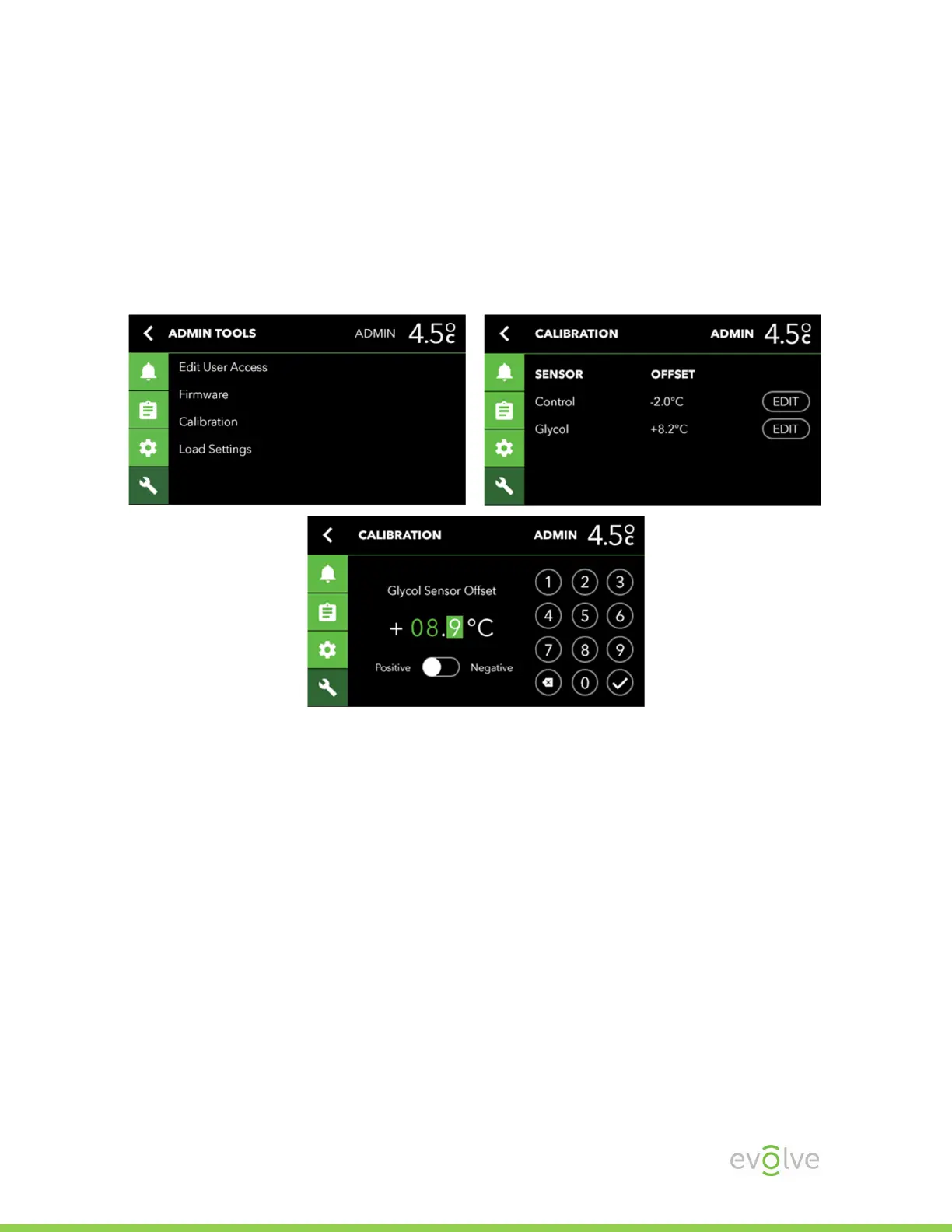
Calibration
When Calibrating, it is recommended to Calibrate the Control sensor first and allow
time for the system to equilibrate before making any adjustments to Glycol. An
example of calculating an offset value: Your NIST certified temperature reading is 3.7°
C, the unit reading is 4.2° C, the offset would be -0.5° C.


 To Next Page