EasyManua.ls Logo

Evolveo WK29B - Installing the Batteries; Hotkeys on the Keyboard

Evolveo WK29B
15 pages
Print Icon
To Next Page IconTo Next Page
To Previous Page IconTo Previous Page
Loading...
2
1. Installing the batteries
The EVOLVEO WK29B / WK29W keyboard
uses two AAA alkaline batteries.
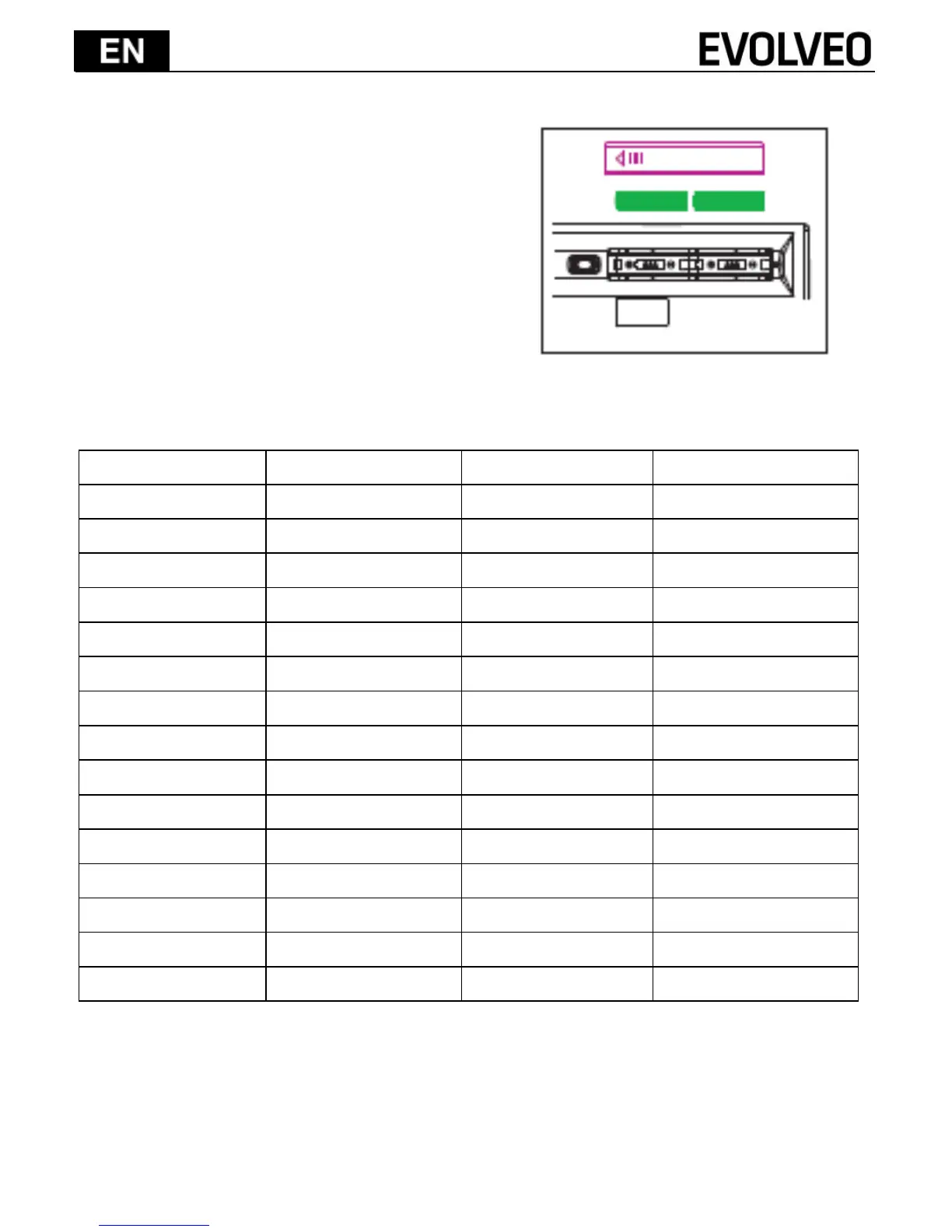
1) Remove the battery compartment
cover on the bottom of the keyboard
by squeezing the cover in from the
tab to release it.
2) Insert the batteries as shown inside
the battery compartment.
3) Replace the cover.
2. Hotkeys on the keyboard
System keys
FN+F1 (IOS)
FN+F2 (Android)
FX+F3 (Windows)
ESC
ESC
ESC
ESC
F1
Ejest
Ejest
F1
F2
Search
Search
F2
F3
Screen Save
Screen Save
F3
F4
Black Screen
Black Screen
F4
F5
Screen Lock
-
F5
F6
Mail
-
F6
F7
Previous Track
Previous Track
F7
F8
Play/Pause
Play/Pause
F8
F9
Next Track
Next Track
F9
F10
Volume Down
Volume Down
F10
F11
Mute
Mute
F11
F12
Volume UP
Volume UP
F12
PrtScr
PrtScr SysRq
PrtScr SysRq
PrtScr
Insert
Main Page
-
Insert
Press FN+F1 into iOS (iPad, iPhone) operation system
Press FN+F2 into Andriod (Samsumg Galaxy products) operation system
Press FN+F3 into Windows operation system