EasyManua.ls Logo

Evoqua BLU-SENTINEL SE - User Manual

Evoqua BLU-SENTINEL SE
4 pages
Print Icon
To Next Page IconTo Next Page
Loading...
1/4
Access and work on system only by authorized and trained personnel! Please read the detailed instruction manual! This short operating instructions does not replace the full instruction manual!
Damage caused by incorrect operation are not covered by the warranty!
Display and control elements
Damage to the touchscreen!
Touching the touchscreen with pointed or sharp objects or strik-
ing the touchscreen with hard objects will damage the surface.
Only touch the touchscreen with your finger or a pen (PDA pen).
Picture 1 Main menu showing an error message
A System menu
B Device name
C Menu field Measurement with current measured value for
chlorine, setpoint display and bar graph
D Menu field Measurement with current measured value for pH,
setpoint display and bar graph
E Error message
F Logout/Login Level
G Menu field Measurement with current measured value for
ORP (Redox) and bar graph
H Current time
I Current temperature
J Symbol Dosing on (reduce/positioner closed)
K Symbol Dosing on (raise/positioner open)
L Display area for alarms/digital inputs
M Operation mode
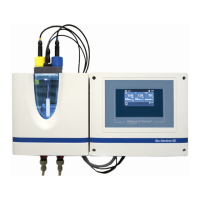
Blu-Sentinel SE flow cell
Picture 2 Blu-Sentinel SE flow cell (cover removed)
A Cover to hold the sensors and LED glow stick
B Plastic housing with removable housing cover
C Cell body
D Multi-sensor
E Flow distributor cap
F Flow cell drain (drain)
G Sample water outlet with ball valve
H Sample water inlet with ball valve
I Filter unit without fine filter
J Check valve housing
B
C
D
G
H
I
M
A
K
L
E
F
A
B
C
E
F
G
D
H
I
J
K
BLU-SENTINEL SE MEASURING, CONTROL AND DOSING SYSTEM
SHORT OPERATING INSTRUCTIONS
WT.050.511.000.DE.IH.0718
W3T407988 Issue 01-0718
Question and Answer IconNeed help?

Do you have a question about the Evoqua BLU-SENTINEL SE and is the answer not in the manual?

Summary

Display and Control Elements Overview

Touchscreen Safety Warning

Cautionary notice regarding proper use of the touchscreen to prevent damage from sharp objects or impacts.

Display and Symbols Reference

System and Operation Symbols

Reference guide for various symbols used in the system interface, indicating functions, modes, and status.

Password Protection Levels

Details on the three-level password protection system for preventing unauthorized operation and ensuring data security.

Calibration Procedures

Free Chlorine (Cl2) Calibration

Step-by-step guide for the two-point free chlorine calibration process, including zero-point and DPD calibration.

pH Calibration Process

Instructions for calibrating pH measurements, covering pH 7 calibration and pH X-span calibration.

pH Offset Compensation

Procedure to compensate for constant pH value differences by entering a comparative measurement value.

ORP Calibration (Redox)

ORP Sensor Calibration Steps

Detailed instructions for calibrating the ORP sensor using a 478 mV calibration solution.

Summary

Display and Control Elements Overview

Touchscreen Safety Warning

Cautionary notice regarding proper use of the touchscreen to prevent damage from sharp objects or impacts.

Display and Symbols Reference

System and Operation Symbols

Reference guide for various symbols used in the system interface, indicating functions, modes, and status.

Password Protection Levels

Details on the three-level password protection system for preventing unauthorized operation and ensuring data security.

Calibration Procedures

Free Chlorine (Cl2) Calibration

Step-by-step guide for the two-point free chlorine calibration process, including zero-point and DPD calibration.

pH Calibration Process

Instructions for calibrating pH measurements, covering pH 7 calibration and pH X-span calibration.

pH Offset Compensation

Procedure to compensate for constant pH value differences by entering a comparative measurement value.

ORP Calibration (Redox)

ORP Sensor Calibration Steps

Detailed instructions for calibrating the ORP sensor using a 478 mV calibration solution.

Overview

The Blu-Sentinel SE is a comprehensive measuring, control, and dosing system designed for water treatment applications, particularly in pool environments. It integrates various functionalities to monitor and manage key water quality parameters, ensuring optimal conditions and efficient chemical dosing.

Function Description

The core function of the Blu-Sentinel SE is to continuously measure critical water parameters such as free chlorine, pH, and ORP (Redox potential). These measurements are displayed on a user-friendly touchscreen interface, providing real-time data and system status. Based on these measurements, the system can automatically control dosing pumps or other actuators to maintain desired setpoint values for each parameter. This automated control ensures consistent water quality, reduces manual intervention, and optimizes chemical consumption.

The system features a dedicated flow cell (Blu-Sentinel SE flow cell) where the sensors are housed. This flow cell is designed for accurate and reliable measurement, with components like a multi-sensor, flow distributor cap, and ball valves for sample water inlet and outlet. The design allows for easy access to sensors for maintenance and calibration.

The touchscreen interface serves as the primary control and display unit. It presents measured values, setpoints, and bar graphs for each parameter. It also provides access to system menus, alarm displays, and calibration functions. Error messages and alarm statuses are clearly indicated, allowing operators to quickly identify and address issues. The system supports multiple user levels with different access rights, enhancing security and preventing unauthorized operation.

Important Technical Specifications

While specific numerical technical specifications are not explicitly detailed in the provided document, the system's capabilities imply certain characteristics:

  • Measured Parameters: Free Chlorine (Cl2), pH, ORP (Redox).
  • Control Type: Automatic dosing based on measured parameters and user-defined setpoints.
  • Interface: Touchscreen display for data visualization, control, and configuration.
  • Connectivity: Implied digital input capabilities for alarms/digital inputs.
  • Sensor Compatibility: Designed to work with specific chlorine, pH, and ORP sensors housed within the Blu-Sentinel SE flow cell.
  • Power Supply: Not specified, but typical for industrial control systems.
  • Environmental Conditions: The calibration procedures suggest the system is designed for environments where temperature differences can impact measurements, indicating a degree of robustness.

Usage Features

The Blu-Sentinel SE is designed for ease of use and efficient operation:

  • Intuitive Touchscreen Interface: The main menu displays key parameters at a glance, including current measured values, setpoints, and bar graphs. Symbols are used to represent various functions and statuses, making navigation straightforward.
  • User Levels and Password Protection: To prevent unauthorized or accidental incorrect operation, the system employs three password-protected user levels with different rights. This ensures that only authorized personnel can access critical settings and functions.
  • Comprehensive Display and Symbols: A wide range of symbols is used to convey information, including numeric keypad for data entry, enter key for saving, upper-case character keypad, delete previous entry, limit value indicators (min/max), menu information, temperature display, setpoint controller, dosing on/off indicators, raise/reduce value, change main menu, switch to previous screen, logout/login levels, message/error active, menu alarms, digital input active, sample water stop, alarm active, change calibration menu, change settings menu, acknowledgment button, selection disabled/enabled, controller stop, controller manual mode, controller constant, and controller automatic mode.
  • Calibration Procedures: Detailed step-by-step instructions are provided for calibrating free chlorine, pH, and ORP sensors. These procedures ensure the accuracy of measurements and the reliability of the system's control functions.
  • Offset Compensation: The system allows for offset compensation for pH measurements, enabling operators to correct for constant differences between displayed and manually measured pH values due to external influences.
  • Dosing Control: The system provides clear indicators for dosing status (raise/positioner open, reduce/positioner closed), allowing operators to monitor and manage chemical additions.
  • Alarm Management: The system actively monitors for alarms and errors, displaying them on the screen. Yellow symbols indicate unacknowledged alarms, while red symbols signify acknowledged alarms or error messages.

Maintenance Features

Maintenance is crucial for the accurate and reliable operation of the Blu-Sentinel SE. The system incorporates features and procedures to facilitate this:

  • Sensor Accessibility: The Blu-Sentinel SE flow cell is designed with a removable cover and accessible components, allowing for easy removal and reinstallation of sensors for cleaning, calibration, or replacement.
  • Calibration Routines: The detailed calibration procedures for free chlorine, pH, and ORP are essential maintenance tasks. These routines involve:
    • Free Chlorine Calibration: A two-point process including zero-point calibration (stopping sample water flow) and measuring value calibration (using DPD photometer).
    • pH Calibration: Involves pH 7 calibration and pH X-span calibration using buffer solutions. It emphasizes temperature matching between buffer solution and sample water for accuracy.
    • ORP Calibration: Uses a specific calibration solution (e.g., 478 mV) to ensure accurate ORP readings.
  • Cleaning and Inspection: While not explicitly detailed as a feature, the design of the flow cell implies that regular cleaning of sensors and the cell body would be part of routine maintenance to prevent fouling and ensure accurate readings. The warning about chlorine sensor screwing implies the need for proper installation to maintain measurement accuracy.
  • Troubleshooting Information: The presence of error messages and alarm indicators assists in diagnosing issues, guiding maintenance personnel to specific problems.
  • Documentation: The "Short Operating Instructions" emphasize the importance of the full instruction manual, indicating that comprehensive maintenance guidelines are available in the complete documentation.
  • Damage Prevention: The caution regarding touchscreen handling (using only a finger or PDA pen) highlights a maintenance aspect related to protecting the display from physical damage.

Evoqua BLU-SENTINEL SE Specifications

General IconGeneral
BrandEvoqua
ModelBLU-SENTINEL SE
CategorySwimming Pool Filter
LanguageEnglish