AirKey system manual version 2.7 |
06/03/2024 | Subject to technical changes and misprints
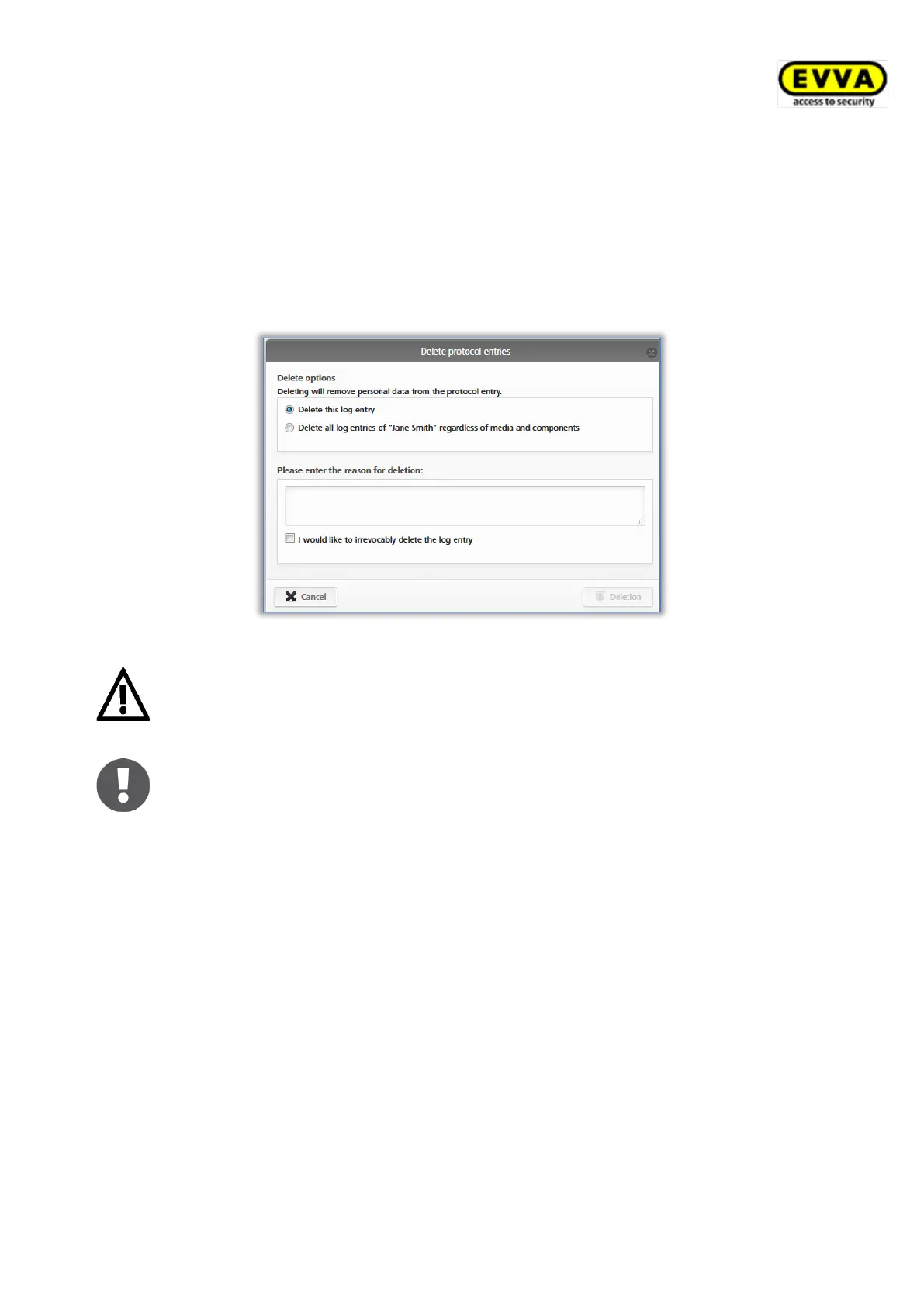
> Search for the event log entry you would like to render anonymous and click the
recycling bin icon in the first column.
> A prompt appears asking you whether to delete merely this specific event log entry or
all of this person’s entries. Select the desired option.
> Enter the reason for deleting the event log entry.
> Tick I would like to irrevocably delete the event log entry.
> Click Deletion to complete the process.
Figure 210: Deleting event log entries
Event log entries are not deleted completely; merely the personal data is
deleted. As a result, event log entries are rendered anonymous. This
process is irrevocable. Use this function with care.
Deleting event log entries adds entries to the event log system.
5.7.3 System event log
> On the Home screen, select the System event log tile.
> Alternatively select Event log → System.
An overview of all actions implemented by administrators appears.
> In the search field you can search for administrators, user IDs, events, transaction
IDs, media IDs or component IDs. Enter a certain period and determine the
column by which you would like to sort .
> Enter a date in the Go to field to browse in the system event log directly to a
certain date. The continue data set is shown if there are no entries for the entered
date.
> Use the Export button in the bottom left if you would like to export the entire system
event log to a CSV file. You can then process this export regardless of the AirKey
Online Administration.


 To Next Page
 Loading...