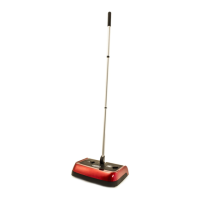
Pack Contents:
Evolution 3 sweeper unit)1
2) 3 piece handle
3) Instruction manual (not shown)
Read the instruction manual carefully before using the Evolution 3 Manual Carpet Sweeper
and make sure that:
• All contents are present as shown
• All packaging materials are removed from the product before use
Product Features
• The Evolution 3 has 2 brush height settings making the unit suitable for most carpeted areas of the
home. The LO setting should be used on low pile carpets and rugs while the HI setting is best suited
for the cleaning of longer pile carpets.
• The handle will drop into a horizontal position (clearance is 8.5 cm / 3.4 inches) enabling sweeping
under furniture or into areas where a larger vacuum cleaner could not reach.
• The Evolution 3 features a quick and easy dirt emptying mechanism.
Product Assembly
Step 1: Assemble the handle by screwing the shortest section into
the pivot arm of the sweeper unit. Do not over tighten.
Step 2: Screw the middle section into the pole already attached to
the sweeper. Do not over tighten.
Step 3: Finally screw in the largest section which has a foam grip
handle. Do not over tighten.
Your Evolution 3 is ready to use.
Thank you for purchasing your Ewbank Evolution 3 Manual Carpet Sweeper.
We hope you enjoy using it.
Please read the manual carefully to get the most out of your product
and retain these instructions for future reference.


 To Next Page