
 Need help?
Do you have a question about the Ewent EW3170 and is the answer not in the manual?
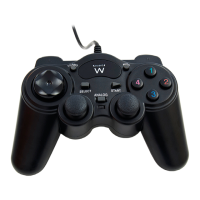
Connect the USB connector of the EW3170 to an available USB port on the PC.
Access Game Controllers settings via Control Panel for Windows XP/Vista and Windows 7/8.
Test all functions and calibrate buttons, D-pad, analogue stick, and vibration.
Activate continuous shooting mode by pressing TURBO and a function button simultaneously.
Execute a function automatically by pressing the AUTO button.
Cancel functions like TURBO, AUTO, and other function buttons.
 General
| Device Type | Gamepad |
|---|---|
| Connectivity | Wired |
| Interface | USB |
| Number of Buttons | 12 |
| Vibration | Yes |
| Analog Sticks | 2 |
| D-Pad | Yes |
| Cable Length | 1.8 m |
| Supported Platform | PC |

 To Next Page