START-UP INSTRUCTIONS
2. Plug the power transformer into an approved power source. Connect the power cord to the valve.
4. Manually step the valve to the BACKWASH position. If screen is locked, the screen will display “PRESS
MENU 3S TO UNLOCK" . Follow the instructions below to step the valve to BACKWASH position. As the
valve arrives at BACKWASH position, unplug the power and let valve stay at BACKWASH position.
4.1 Press and hold MENU key for 3s
to unlock.
1. Add two liters of water into the cabinet at the time of installation. This is for the unit to achieve
proper capacity in the rst time of regeneration
.
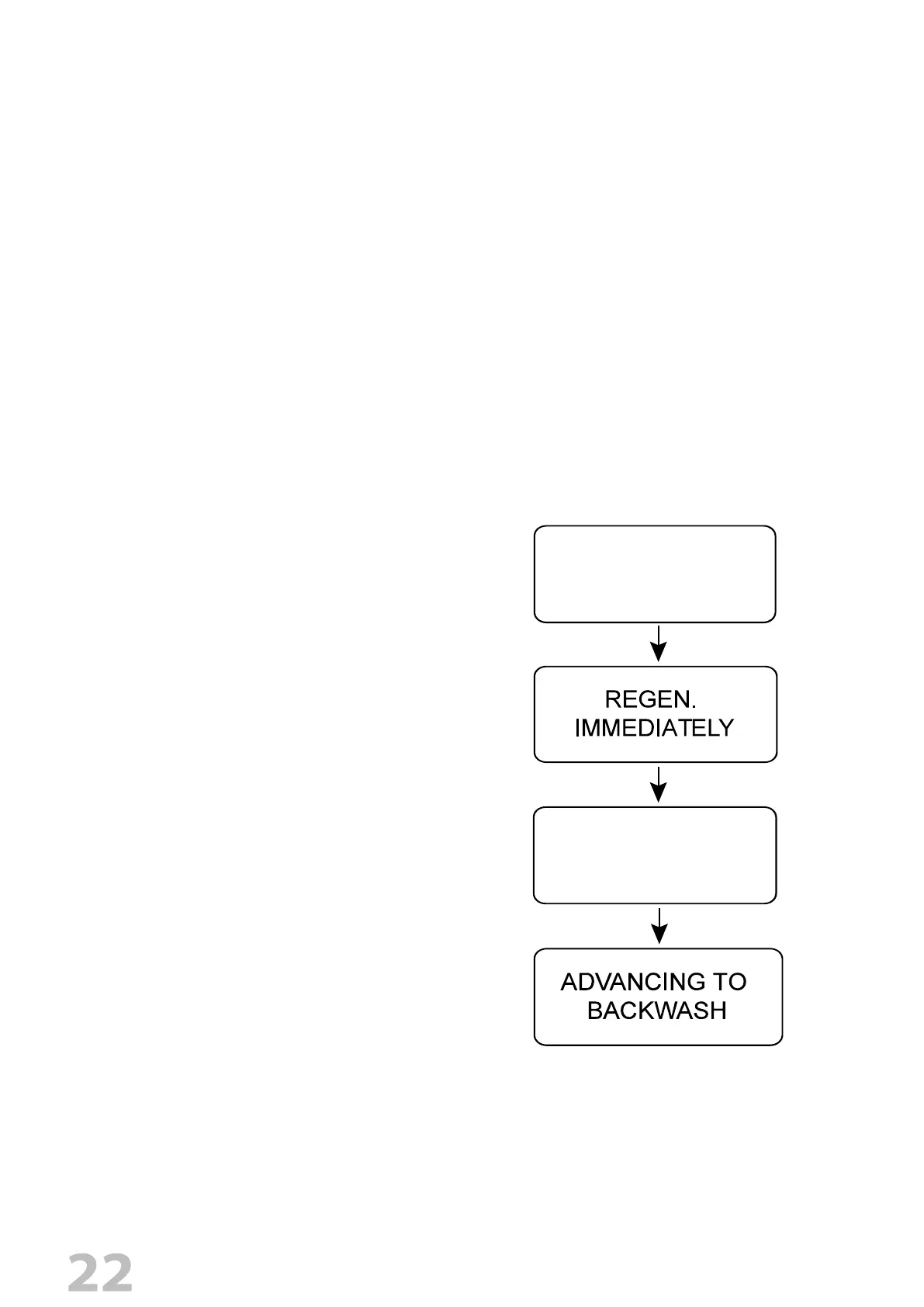
4.2 Press and hold "CONFIRM" key
to enter MANUAL REGEN. display,
press "MANU" key again to have an
immediately Regen.
4.3 When it arrives BRINE position,
press any key to skip the BRINE
cycle.
ADVANCING TO
BRINE
PRESS SETTINGS
3S TO UNLOCK
3. When power is supplied to the control, the screen will may display “Advancing to Service Wait
Please” while it nds the service position.


 To Next Page