EasyManua.ls Logo

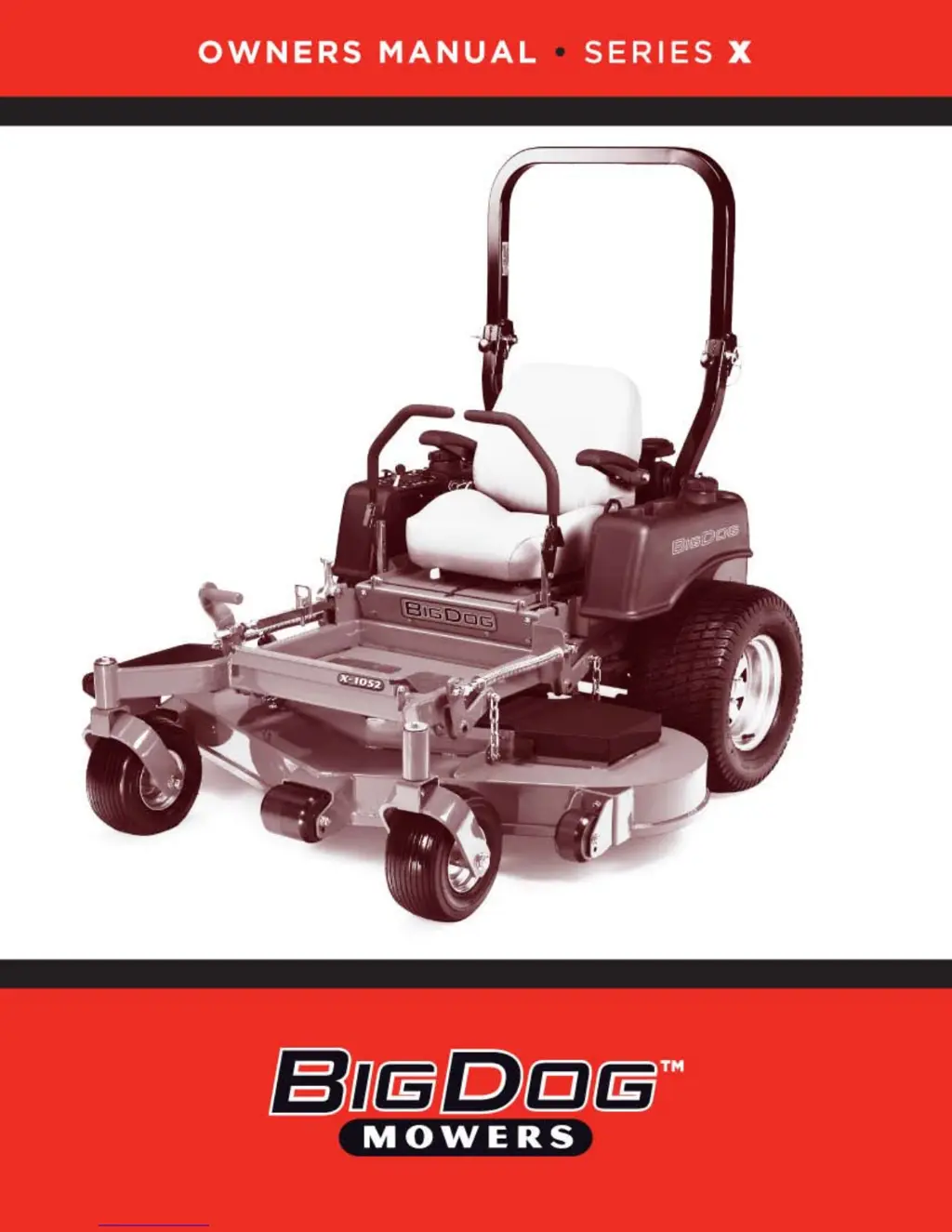
Excel Big Dog X Series - User Manual

Excel Big Dog X Series
37 pages
Print Icon
To Next Page IconTo Next Page
Loading...

Questions and Answers

  • A
    Angel HowardAug 18, 2025
    Why won't my Excel Big Dog X Lawn Mower engine start?
    • A
      Alan BarryAug 18, 2025
      If your Excel Lawn Mower engine won't start, starts with difficulty, or fails to keep running, several factors could be at play. Ensure you have sufficient fuel and that the fuel line isn't blocked; if so, fill the tank or replace the line. Check that the fuel valve is open. Also, verify that the fuel system contains the correct type of fuel and that the fuel filter is clean. Make sure the choke is properly engaged.
  • B
    blakevelasquezAug 20, 2025
    How to fix abnormal vibration in my Excel Big Dog X Lawn Mower?
    • E
      Erica KimAug 21, 2025
      Abnormal vibration in your Excel Lawn Mower can stem from several sources. Start by checking if the engine mounting bolts are loose and tighten them if necessary. Inspect the engine pulley, idler pulley, and blade pulley for looseness, and tighten them as needed. Also, examine the cutting blades for any bending or imbalance, replacing them if necessary. Ensure the blade mounting bolt is securely tightened and inspect the spindle bearing for wear or looseness; replace or tighten it accordingly.
  • J
    Jacob EricksonAug 23, 2025
    What to do if my Excel Big Dog X Lawn Mower has a loss of power?
    • V
      vmartinezAug 23, 2025
      If your Excel Lawn Mower is experiencing a loss of power or failing to operate in either direction, begin by checking for any restrictions in the air cleaner and service it if needed. Ensure there is an adequate supply of hydraulic oil by checking the level in the reservoir. Inspect the tow valve to confirm it is closed and check if the traction drive belt is worn, loose, or broken, replacing it if necessary. Also, check the filter and fittings for air in the system. Make sure that the steering linkage is properly adjusted.
  • T
    Thomas BooneAug 26, 2025
    How to fix uneven cutting height on Excel Big Dog X Lawn Mower?
    • R
      Ruth GutierrezAug 26, 2025
      Uneven cutting height with your Excel Lawn Mower can arise from several issues. Begin by ensuring that the blades are sharp; sharpen them if necessary. Check for bent cutting blades and replace them if found. Verify that the tires are properly inflated to 8-12 psi (55-83 KPa). Also, ensure that the underside of the deck is clean and that the anti-scalp wheels are correctly adjusted.
  • H
    hparkerAug 27, 2025
    Why won't the starting motor crank on my Excel Big Dog X?
    • B
      brian32Aug 28, 2025
      If the starting motor of your Excel Lawn Mower doesn't crank, make sure that the steering control levers are in the park brake position, and the switch is properly adjusted. Check that the deck clutch switch is disengaged. Also, verify the battery's condition and recharge or replace it if weak or dead. Inspect the electrical connections for corrosion or looseness and correct them as needed.
  • D
    Dawn WeissAug 30, 2025
    How to prevent my Excel Lawn Mower engine from overheating?
    • T
      Tamara HillAug 30, 2025
      If your Excel Lawn Mower's air-cooled engine is overheating, the air intake screen or cooling fins may be clogged. Clean the screen and fins to ensure proper airflow and cooling.
  • S
    steven30Sep 1, 2025
    Why are the blades not rotating on my Excel Lawn Mower?
    • P
      Patricia AdkinsSep 1, 2025
      If the blades of your Excel Lawn Mower do not rotate, inspect the deck drive belt for wear, looseness, or breakage; replace it if necessary. Ensure the deck drive belt is properly installed on the pulley, checking for any underlying reasons for it coming off. Also, check the electric clutch and/or replace the 15 amp fuse.
  • T
    Todd FrostSep 3, 2025
    Why does my Excel Big Dog X veer in one direction?
    • E
      erin37Sep 3, 2025
      If your Excel Lawn Mower circles or veers in one direction, the steering linkage may need adjustment. Also, check that the tires are properly inflated, adjusting the air pressure to 8 - 12 psi (55-83 KPa).
  • M
    Michael LopezSep 6, 2025
    What to do if Excel Lawn Mower hydraulic system operates hot?
    • J
      Jennifer GarciaSep 6, 2025
      If the hydraulic system of your Excel Lawn Mower operates hot and the oil in the reservoir smells rancid, check the hydraulic oil level and fill the reservoir if it's low. Also, the hydraulic oil cooler may be clogged; in that case, clean the oil cooler core.
  • M
    Mathew LarsonSep 8, 2025
    What causes low oil pressure in my Excel Big Dog X?
    • C
      cdanielsSep 8, 2025
      If your Excel Lawn Mower has low engine oil pressure, start by checking the oil level and add oil if it's low. If the oil is diluted or too light, change the oil and check for any sources of contamination.

Summary

Warranty Details

Safety Precautions

Safety Rules, Decals, and Warnings

Fundamental safety rules, hazard definitions, decal explanations, and specific hazard warnings.

Operation

Safe Operating Practices

Essential safety guidelines for operating the mower to prevent injury and accidents.

Slope Operation

Detailed instructions and warnings for safely operating the mower on inclines and uneven terrain.

Maintenance and Adjustments

Safe Servicing Practices

Guidelines for safely performing maintenance and adjustments on the mower.

Troubleshooting

Common Operating Problems and Solutions

Guide to identifying and resolving common issues with the mower's operation.

Excel Big Dog X Series Specifications

General IconGeneral
Deck TypeFabricated
TransmissionHydrostatic
Engine Type4-Cycle
Drive SystemHydrostatic
Warranty3 years

Related product manuals