17 Copyright © 2008 Excito
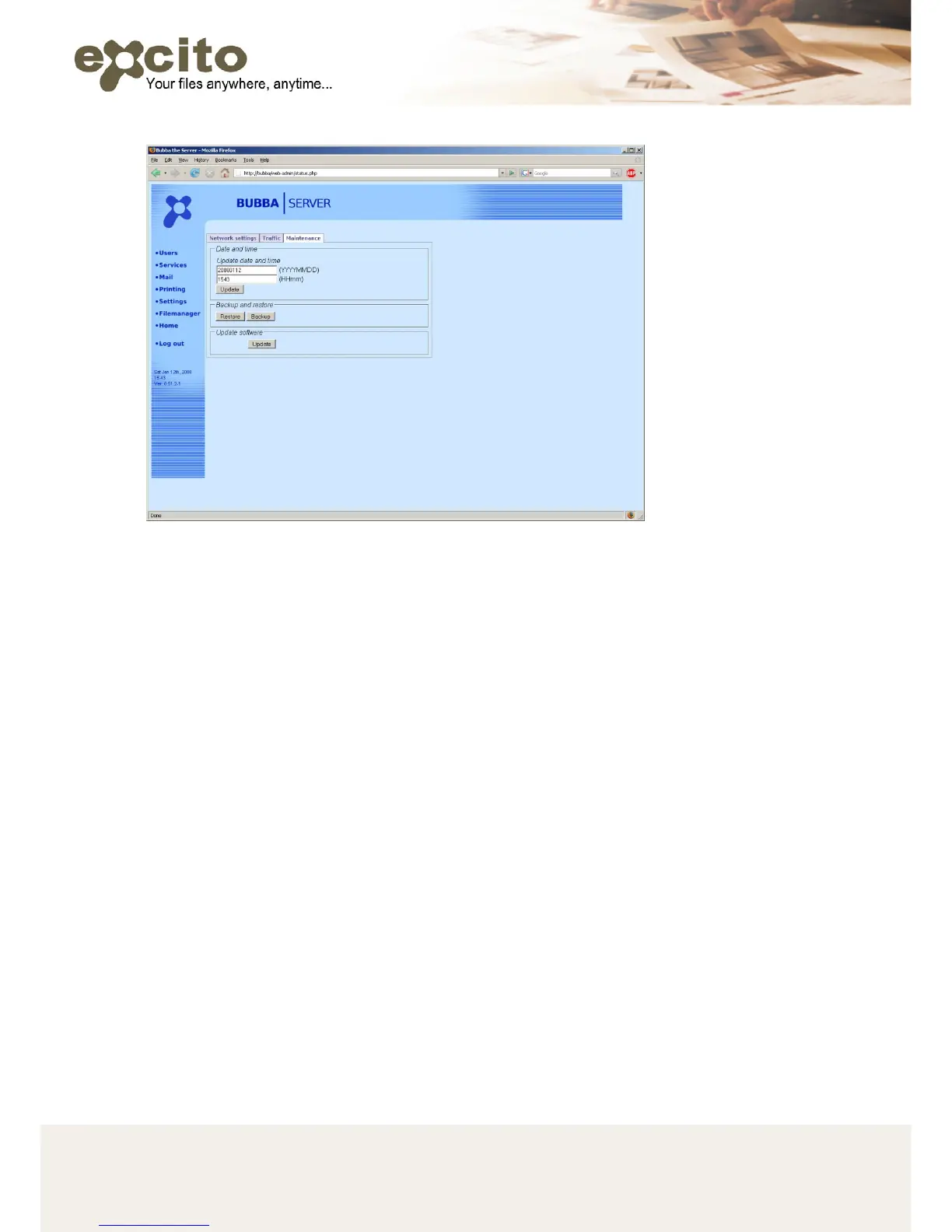
• Maintenance
o Date and time: Set the system date and time, update saves
your changes.
o Backup and restore: BACKUP BUBBAs SETTINGS. Put an
USB memory stick in the USB port in BUBBA. Press
‘Backup’, and all settings are saved on a file on the memory
stick. To restore the settings, place the same USB memory
stick in the USB port and press ‘restore’. Note that this
backup functionality only saves your settings (users, printers,
email settings etc.), and not any user data.
o BUBBA’s firmware can be easily upgraded to gain new
functionality. Press ‘Update software’, and the update is
automatically performed.
It is always recommended to backup your critical data. Always make
sure you have a fresh copy of your critical files on a separate hard drive.
4. USERS
Most of BUBBA’s services are available on a per-user basis. It is
recommended that you add one user for every person using BUBBA.


 To Next Page