- 8 -
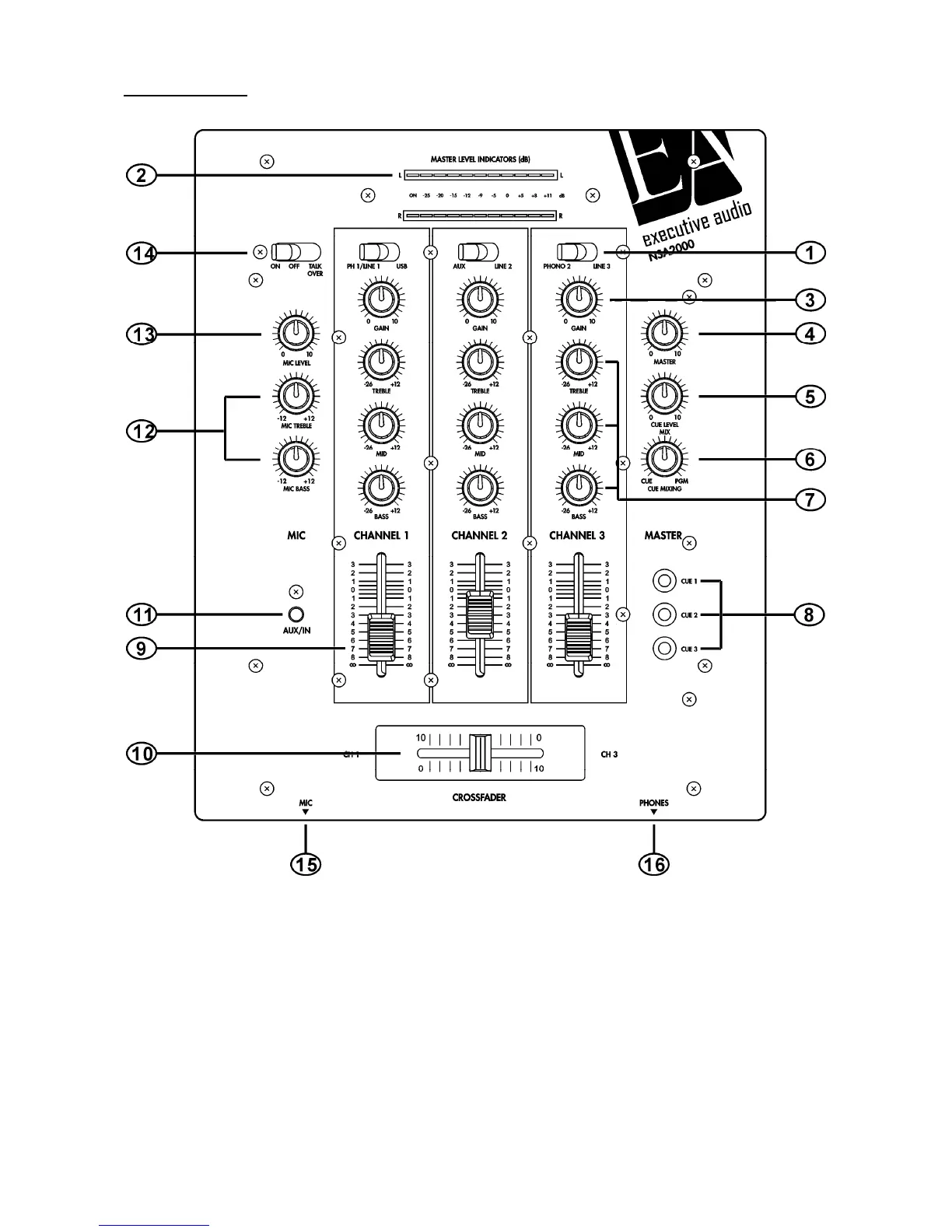
FRONT PANEL
1
. SOURCE SELECTOR SWITCH
These switches are used to select the input source assigned to each channel. Each channel may only be
assigned one input source at a time. This switch must be in the “phono” position for turntable operation.
2. MASTER VOLUME LEVEL & POWER ON INDICATORS
The dual MASTER LEVEL LED indicators are used to detail the master output level. The meters will detail
the output level of both the left and right channels. This power ON L.E.D. will glow when the power is
switched on.
3. CHANNEL GAIN CONTROL
This adjustment is used to adjust an audio source signal input gain for a channel. Never use the gain



 To Next Page