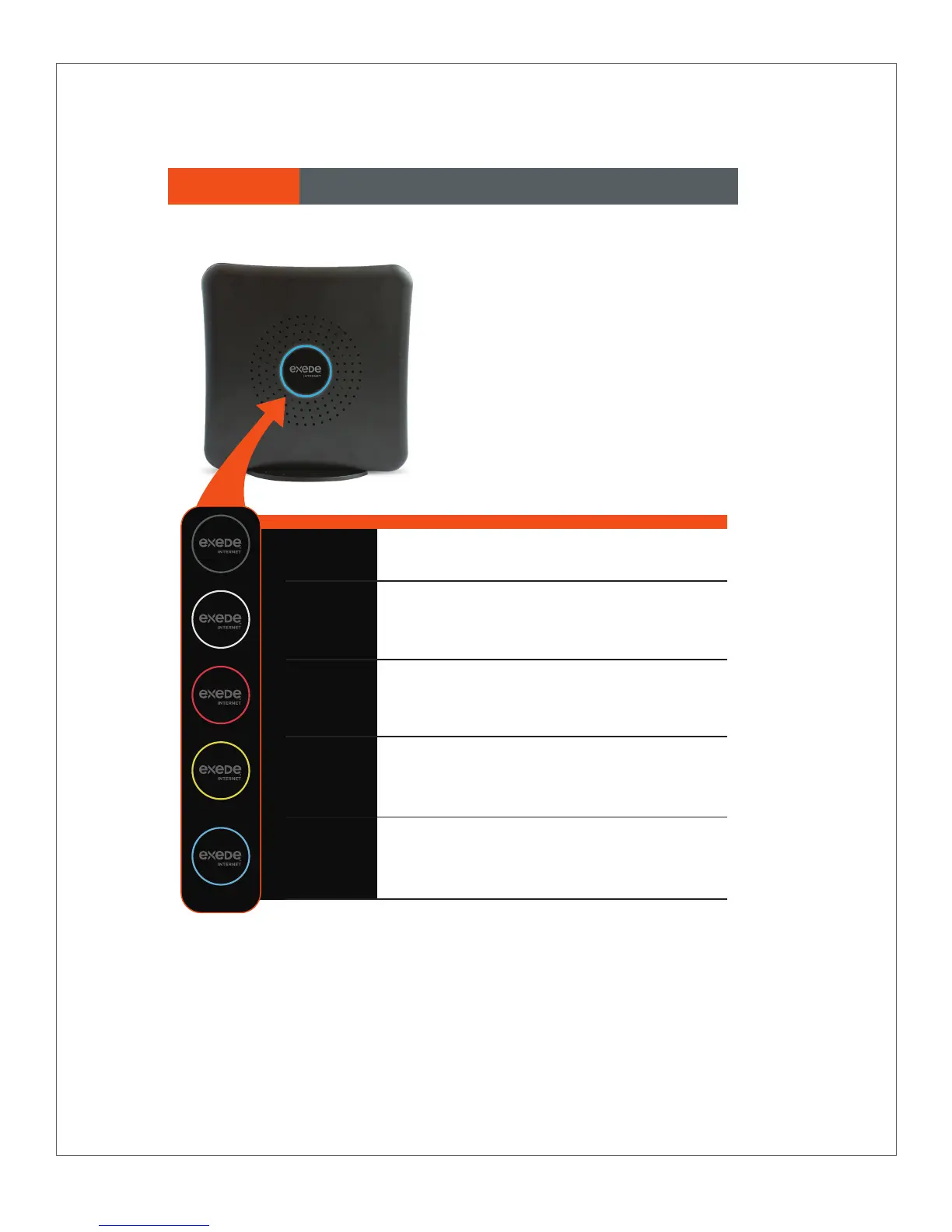
The indicator light on the side of your
Exede WiFi Modem will change color
depending on its status. Here’s what all
those colors mean:
No Light: No Power.
White light: Power is on, but the modem is not connected to
the internet.
Red light: The modem is oine. Modem may be connected
to the internet, but is not receiving information.
Orange light: The modem is online, but not at peak performance
—or— VoIP is not working.
Blue light: The Exede WiFi Modem is connected and fully
functional.
OFF
POWER ON
OFFLINE
ONLINE
DEGRADED
ONLINE
Please note that it is normal for the indicator light to flash numerous
colors or go dark for a few seconds when it is first powered on.
Allow three to five minutes for your modem to fully connect.
SECTION 5 Indicator Lights


 To Next Page