English
GREAT BRITAIN - CUSTOMER SERVICE contact number: 020 8247 9300 e-mail: customerservice@clasohlson.co.uk
internet: www.clasohlson.co.uk postal: 10 – 13 Market Place, Kingston Upon Thames, Surrey, KT1 1JZ
Ver. 20170713
Wireless AC Router
Art.no 38-8032 Model NBG6602
Please read theentire instruction manual before
using theproduct and then save it for future
reference. Wereserve theright for any errors
in text or images and any necessary changes
made to technicaldata. Intheevent of technical
problems or other queries, please contact our
Customer Services.
An instruction manual is available to download at
clasohlson.com. Write 38-8032 in the search field
and select “Details” to find the instruction manual.
Installation
1. Connect your Internet connection (e.g. ADSL,
fibre optic, cable) to theblue WAN port on
therear of therouter.
2. Plug theDC connector of included mains
adapter into the “DC IN” port on therear of
therouter and then plug it into awall socket.
WiFi connection
Connect your wireless device to one of
thenetworks, refer to thelabel on theunderside
of therouter (EXIBEL_xxxxxx_2.4G or EXIBEL_
xxxxxx_5G). Password “xxxxxxxxxxxxxxxxx”.
TheWiFi password is thesame for 2.4 G and 5 G
networks. Itis at least 8 characterslong.
Connecting a computer to the AC router
1. Connect thenetwork cable of thecomputer
to theyellow LAN port on therear of theAC
router.
2. Open aweb browser, go tohttp://myrouter,
enter thepassword 1234 and login.
3. Follow theinstructions in theon-screenguide.
Care and maintenance
• Clean therouter by wiping it with adrycloth.
• If it is not to be used for along time,
therouter should be unplugged from
thewall socket and stored in adry, dust-free
environment, out of children’sreach.
Responsible disposal
Specifications
Rated voltage 100–240 V, 50/60 Hz
Mains adaptor 12V, 1A
Data transferrate 300+867 Mbit/s
Dual band 2.4/5 GHz
Password 1234
LANport
WPS support
This symbol indicates that this
product should not be disposed
of with general householdwaste.
Thisapplies throughout theentire
EU. Inorder to prevent any harm to
theenvironment or health hazards
caused by incorrect waste disposal,
theproduct must be handed in for
recycling so that thematerial can be
disposed of in aresponsible manner.
Whenrecycling your product, take
it to your local collection facility
or contact theplace of purchase.
Theywill ensure that theproduct is
disposed of in anenvironmentally
sound manner.

 Need help?
 General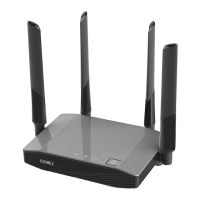

 To Next Page