
 Need help?
Do you have a question about the EXICOM POWER SOLUTIONS 84000 Series and is the answer not in the manual?
Warns of fatal injury from contact with hazardous voltage components.
Advises using special tools for high voltage and AC operations.
Recommends avoiding operation during thunderstorms due to electromagnetic fields.
Emphasizes ESD protection to prevent damage to sensitive electronic components.
Warns against short-circuiting DC units and emphasizes proper polarity.
Lists safety steps for battery handling, including removing jewelry and using protective gear.
Explains Battery Low Voltage Disconnect (BLVD) and its impact on load management.
Advises wearing gloves when handling equipment with sharp edges to prevent cuts.
Stresses verifying cable compliance and labeling before making connections.
Specifies binding signal lines separately from heavy current/high voltage lines.
Covers earthing, DG set balancing, capacitor bank usage, and power plant switching.
Instructions for unpacking the power plant and rectifiers.
Information on power plant dimensions, functionality, and technical specifications.
Key features, benefits, and specifications of the installed rectifiers.
Technical capabilities and functionality of the M1000 controller.
Stepwise procedures for installing the power plant.
Stepwise procedures for commissioning the power plant.
Basic user-level troubleshooting procedures for faults.
Scheduled maintenance procedures for system upkeep.
Step-by-step guide to unpack the main power plant unit from its palette.
Step-by-step guide to unpack individual rectifiers from their packaging.
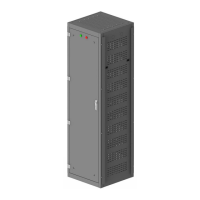
Provides overall physical dimensions of the power plant unit with diagrams.
Illustrates the internal components and their layout within the power plant rack.
Details system parameters, input/output voltages, dimensions, and environmental ratings.
Highlights key features like high efficiency, power density, and hot-swappability.
Detailed technical data for the Serenity 3000W rectifier, including output, protection, and environmental specs.
Explains the meaning of different LED status lights on the rectifier.
Lists advanced features of the M2000 controller for managing DC systems.
Details the various applications for the M2000 controller in telecom and other industries.
Comprehensive technical specifications for the M2000 controller, including voltage, power, environment, and interfaces.
High-level overview of the system controller, its features, applications, and communication interfaces.
Details the physical layout and front panel controls of the M2000 controller.
Explains the Home screen display, parameter values, and system block status.
Describes how to navigate the M2000 interface using the joystick controls.
Diagram and legends identifying components in the front view of the power plant.
Illustrates the external connections for AC input, LPU, and battery banks.
Details the procedure for grouting the unit using fasteners on a plane surface.
Steps for connecting temperature sensors, AC input, batteries, loads, and installing rectifiers.
Steps for inserting battery fuses and performing initial voltage checks with the M2000.
Guide for configuring battery capacity settings within the M2000 controller.
Procedure for de-registering all SMRs in the M2000 to clear previous settings.
Steps for turning on AC mains and verifying input AC voltages against permissible ranges.
Instructions for turning on rectifier and load MCBs and checking system voltage.
Details hardware and software for the optional Battery Health Monitoring System (BHMS).
Lists common faults like MCM not coming ON, voltage display errors, and rectifier issues with causes and solutions.
Outlines a maintenance program including ventilation checks, cabinet assembly, controls, and internal components.
Details the effects of different current levels on the human body and provides first aid for electrical burns.
 General
| Brand | EXICOM POWER SOLUTIONS |
|---|---|
| Model | 84000 Series |
| Category | Power Supply |
| Language | English |

 To Next Page