
EasyManua.ls Logo

EXICOM POWER SOLUTIONS Harmony Series - User Manual

EXICOM POWER SOLUTIONS Harmony Series
65 pages
Print Icon
To Next Page IconTo Next Page
Loading...
Preface
This document is valid for the harmony series EV Charger.
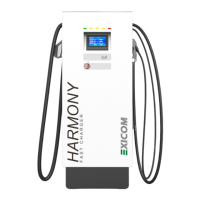
The pictured devices used in this document are visual examples. The figures and explanations contained in
this document refer to a typical device design.
We recommend always keeping the charging station updated to the most recent software version, as this
contains functional enhancements and product improvement.
Purpose of this Guide
The document de
scribes the user guide for harmony series EV Charger.
INTRODUCTION
User Manual for Harmony Series EV Charger
This document is valid for the harmony series EV Charger.
The pictured devices used in this document are visual examples. The figures and explanations contained in
this document refer to a typical device design.
The devices used by you may differ in their appearance
We recommend always keeping the charging station updated to the most recent software version, as this
scribes the user guide for harmony series EV Charger.
User Manual for Harmony Series EV Charger
The pictured devices used in this document are visual examples. The figures and explanations contained in
The devices used by you may differ in their appearance
We recommend always keeping the charging station updated to the most recent software version, as this

Other manuals for EXICOM POWER SOLUTIONS Harmony Series

Questions and Answers

Summary

Introduction to Harmony EV Charger

Preface

Document validity for the harmony series EV Charger and visual examples used.

Purpose of this Guide

Describes the user guide for the harmony series EV Charger.

Safety Measures and Instructions

Representation of Safety Instructions

Explains symbols used for safety warnings and their meanings.

Prohibited Areas

Restrictions on unauthorized personnel opening the charger cover to prevent electric shock.

Safety Precautions

Important safety guidelines including grounding, modification, and environment usage.

Dos and Donts

Operational guidelines for safe and effective use of the EV charger.

Required Tools for Installation

Abbreviations Used in the Manual

Product Overview and Specifications

Dimensional Information

Provides system dimensional information including front, side, and bottom views.

System Architecture

Details the system architecture and connectivity of the EV charger.

Technical Specifications

User Interface and Control

Details on display, support language, emergency switch, and charging operations.

Communication Protocols

Information on EVSE and EVCC communication, and billing payment service protocols.

Environmental Conditions

Specifies operating and storage temperatures, altitude, and humidity.

Mechanical Specifications

Details IP rating, cooling, dimensions, cable length, and interface type.

Certifications

Lists the certifications obtained by the Harmony Charger series.

Key Features

Highlights compliance, design, user interaction, installation, robustness, and charging capabilities.

Output Configurations and Protocols

EVSE to EVCC Communication Protocols

Details the applicable communication protocols for CCS 2, GB/T, and CHAdeMO standards.

Rectifier;SMR Module Functionality

Explains the function and output specifications of the high-efficiency rectifier/SMR modules.

SMR LED Indications

Controller Card Details

MCCB & RCDs for Protection

Information on dedicated MCCB, MCB, and RCBO for system protection as per standards.

SPD Protection

Details on the Class C SPD for protection against sudden input voltage impulses.

Installation Instructions

Wire Stripping Instructions

Guidelines for proper wire stripping techniques to ensure electrical integrity.

Site Selection Criteria

Criteria for selecting an appropriate installation location considering safety and regulations.

Required Installation Tools

Lists all necessary tools for the correct installation of the EV charger.

Input Power, Cable, and MCB;MCCB Requirements

EV Charger Installation Details

EV Charger Connection Diagram

Rectifier Installation Procedure

Commissioning Instructions

Physical Verification

Steps to verify physical connections, wiring, and earthing before commissioning.

Post Physical Verification

Actions after physical checks, including power-on, software updates, and vehicle testing.

Quick and Basic Setting Navigation

Charge Flow

Charging Initiation Methods

Overview of initiating charging via RFID Card, OTP, or QR Code.

System Output Configurations

Table showing protocol combinations supported for different power outputs.

Authentication Methods for Charging

Charging Modes

GUN-A Charging Procedure

GUN-B Charging Procedure

GUN-C Charging Procedure

Troubleshooting Instructions

Stop Reason Troubleshooting

Explains reasons for charging stops and provides resolutions for charger-initiated stops.

Charging Stopped;Interrupted by Vehicle

Charging Stopped;Interrupted - Other Reasons

Alarms Troubleshooting

System-Level Alarms

Details system-level alarms, their causes, and recommended resolutions.

GUN-A Alarms

GUN-B Alarms

GUN-C Alarms

System Schematic Diagrams

Single GUN Configuration Schematic

Provides the electrical schematic diagram for the single gun system configuration.

Two GUN Configuration Schematic

Provides the electrical schematic diagram for the two gun system configuration.

Three GUN Configuration Schematic

Provides the electrical schematic diagram for the three gun system configuration.

Annexure-I: Cable and Component Selection

Annexure-II: Rectifier;SMR DIP Switch Configuration

EXICOM POWER SOLUTIONS Harmony Series Specifications

General IconGeneral
ModelHarmony Series
TypeBattery Charger
Efficiency>90%
Cooling MethodForced Air Cooling
WeightVaries by model
DimensionsVaries by model
Output Voltage12/24/48 VDC (depending on model)
Battery TypeLithium-ion
Charging Currentup to 100A (depending on model)
Protection FeaturesOver Voltage, Over Current, Short Circuit, Reverse Polarity