* Setting of Full V must be 0.2 V below used charging voltage (e.g. charging voltage 28.0 V)
1. Press the OK - key for 3 s to enter in the setting menu.
2. Press the ˄ - or ˅ - key to select the setting item.
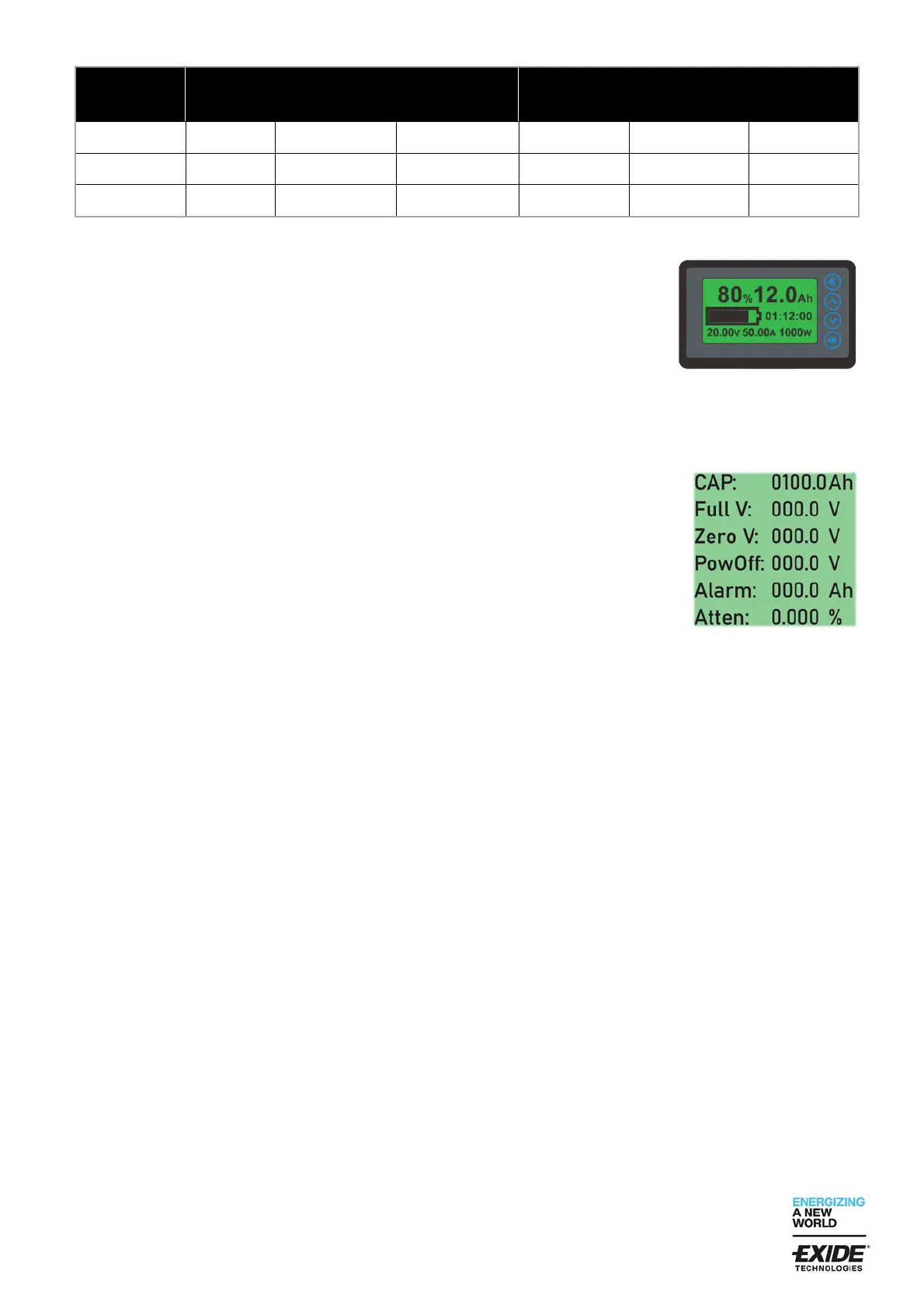
CAP – preset capacity: please set the factory setting to the real capacity value
of the used battery.
Full V – preset high voltage: The preset value must be 0.2V lower than the
used charging voltage.
When voltage during charging is higher than the set value, SOC will be 100%.
Zero V – preset low voltage: please set factory setting to the real low voltage
value. When voltage during discharging is lower than the set value, SOC is set to
0%. The voltage value is blinking and the internal buzzer will warn every 10 s.
PowOff – the display switches off automatically when the voltage drops below
the entered value and the display's power consumption is reduced to the power
off value.
Alarm – setting: please set the factory setting to the wished Ah value of the used
battery. When capacity during discharging is lower than the set value, the
integrated buzzer will warn once every 10 s.
Atten – Reduction of actual capacity over lifetime. The capacity is reduced by the
entered value with each cycle (discharge / charge). If, for example, 0.005% is
entered, after 1000 cycles at 100% SOC only 95% of the nominal capacity in Ah
is displayed.
3. To setup the value on a selected item (e.g. CAP) press OK – key and the first
digit will blinking. By pressing OK – key again you can select the next digit.
Press the ˄ - or ˅ - key to plus or minus the value of the selected digit.
Press « - key to quit the preset value.
4. Set the other items with the same method.
5. When all items are set to the correct values press « - key to save the set items
and quit the setting menu.
6.4 Sleep mode and wake up operation
When the battery current is nearly zero (no discharging and no charging), the display will enter in a low power
sleep mode. If needed you can wake up the display by pressing any key. When the battery is in discharge or
charge mode, the display wakes up automatically.
6.5 Turn on/off backlight
1. Press and hold the « - key to turn off the backlight (the backlight does not light up during operation).
2. Press and hold the « - key again to turn on the backlight (the backlight flashes during charging and stays on
during discharging).


 To Next Page
 Loading...