5.3 Damaged Batteries
Damaged batteries may be dangerous and must be handled carefully. If a battery is damaged do not use it and
contact your local dealer.
5.4 Transportation
During transportation, the battery should be handled with care and should not be subjected to severe impact.
During transportation, severe bumps and shaking should be avoided, and moisture, rain and long-term exposure to
the sun should be avoided.
6 Display (optional)
6.1 Description
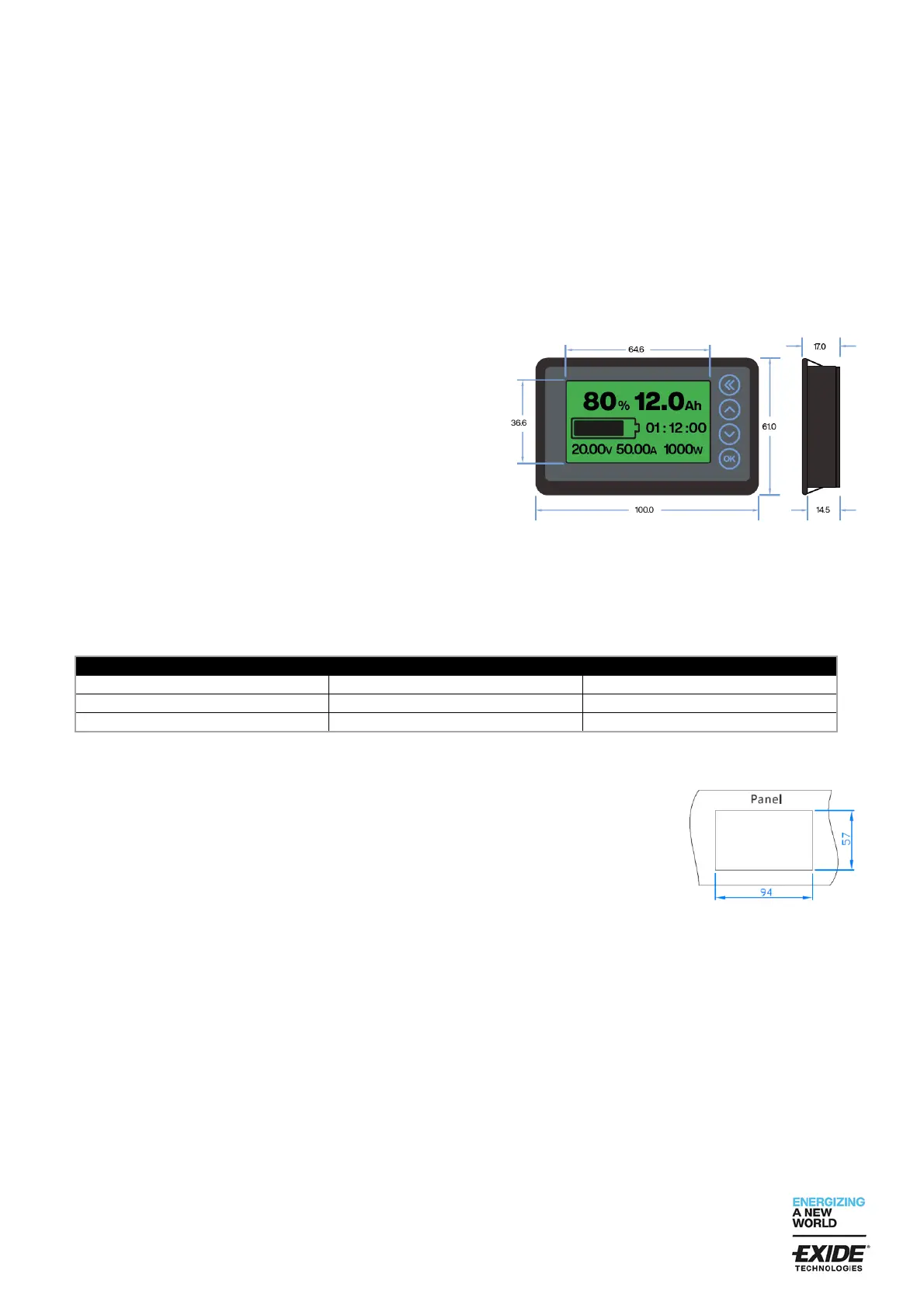
The Exide SOLiTION blocks can be equipped with an external
display as an option. With the display you will have a quick
overview of the main discharge and charge parameters:
1. Present Capacity in %
2. Present Capacity in Ah
3. Dynamic indication of the Capacity
4. Remaining discharge or charge time
5. Present voltage
6. Present discharge (-) or charge (+) current
7. Present Power
The display includes a 2.0 meter cable with a RJ45 plug, which can easily connected with the SOLiTION block.
The SOLiTION blocks have an internal sampler for measurement of current and voltage. Depending on block size,
the sampler have different shunts for the current measurement. Therefore, it´s mandatory that the block fits with the
right display.
6.2 Installation
1. The display is fixed with buckles. For installation of the display in a panel,
open a rectangular window of 94 x 57 mm (see picture). Then push the
display in the rectangular window and make sure that the buckles are
locked.
2. Connect the display with the RJ45 plug to the SOLiTION block.
After connection, the display should show the actual values of the battery. If
the display has no respond, please check the connection.
Please note:
A. After first connection with the battery, the SOC will have not the right value. The system calibrates itself
after the first fully charge.
B. For parallel configurations the display only reads the current of the battery it is connected to. Not total
current. To estimate total current multiply the value in the display by the number of batteries in parallel.
6.3 Preset capacity and voltage settings
Before first use of the display, the capacity and voltage settings must be checked and set to the correct
values (see table below).


 To Next Page
 Loading...