8
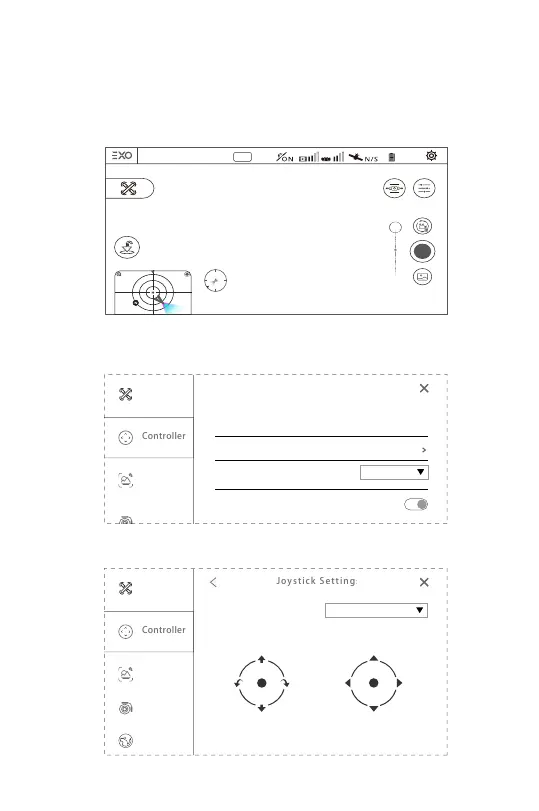
① Open the EXO Pro app and choose relevant aircraft model to enter the
flight control interface, and click the gear icon in the upper right corner to
enter the settings.
③ Choose the joystick mode.
② Enter the "controller" option in the setting interface and click "Joy-
stick settings".
Transmitter model
Joystick Settings
Custom button Fn
No function
GPS Safe Take off
SyncLeas
Joystick mode
America mode(Mode 2)
Up
Turn
Right
Flight
Right
Down
Forward
Flight
Left
Turn
Left
Backward
America mode(Mode 2)
America mode (Mode 2) and Japan mode (Mode 1) can switch in the
EXO Pro settings:
Connected
N
100%
1.0x
Speed 0.0m/s
H: 0.0m D: 0.0m
24°
RID



 To Next Page