equipment caused by the damage to their own.***
ATX PW、PTD、Slim Line Switch:
By default a switch in the OFF state, do not touch。More special features to consult after sales technical support。
二、
Disable DGPU
The following operation is performed before the external display card is installed
1、 disable the built-in display in the BIOS, off the network to start。Update the BIOS to the latest
Lenovo、Acer: BIOS-Graphic Device-UMA(Graphic Mode-Integrated),PXE Boot to LAN(Network Boot)-Disabled。
THINKPAD: BIOS-Config-Display-Graphics device-Intergrated graphics.OS Detection for NVIDIA Optimus-Disabled
Alienware、Clevo: BIOS-Primary display-IGFX or PCI
HP、DELL:Boot Sequence-Onboard NIC untick,System Configuration-Integrated NIC- Disabled,Power Management-Wake on LAN/WLAN- Disabled
(Without the above options, please follow the following ways to disable)
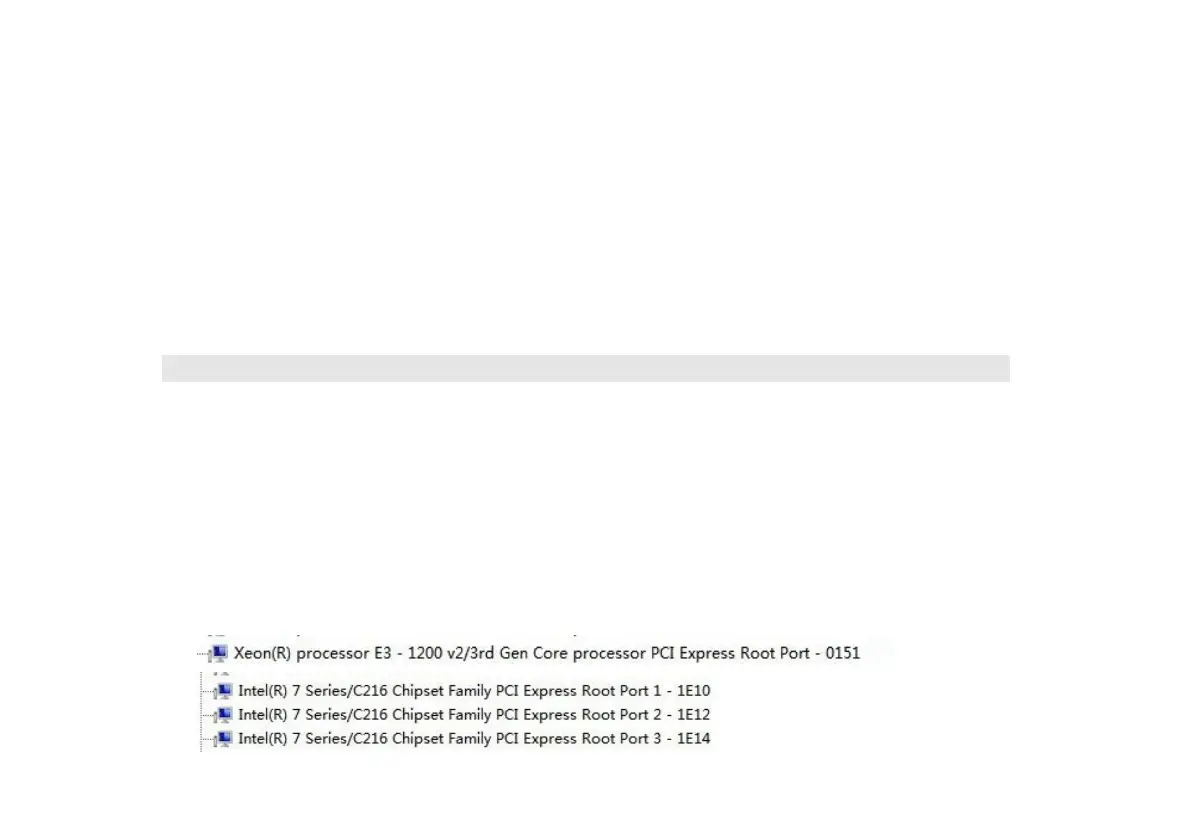
2、 log-in,Device Manager-System devices,One by one, try to disable the "PCI" port, built-in alone disappeared。
(Disable only the "PCI" port that is lost to the built-in single display.)。As shown in Figure:
(System differences, please one by one to disable PCI try)


 To Next Page
 Loading...