

EasyManua.ls Logo

Expert Standard Series - User Manual

Expert Standard Series
234 pages
Print Icon
To Next Page IconTo Next Page
Loading...
EXPERT Standard Series User Manual
1
Preface
Thank you for using EXPERT high performance general vector control drive
manufactured by Himel.
This series drive is a general-purpose drive based on flux vector algorithm
control. It has a series of practical functions such as motor parameter
self-identification, big torque at low frequency, wobble frequency control, droop
control, simple PLC, fixed length control and flexible frequency set mode, and can
achieve a variety of frequency combinations setting and RS485 communication.
Before using the drive, the drive user and the relevant technicians shall read
the User Manual carefully to ensure the correct installation and operation of the
drive and its optimal performance.
The User Manual is subject to change without prior notice. The new edition
shall prevail.
High performance general vector drive
User Manual
Edition Code: V1.5

Table of Contents

Question and Answer IconNeed help?

Do you have a question about the Expert Standard Series and is the answer not in the manual?

Summary

Preface

Chapter 1 Product Specification and Order Notification

1.1 Confirmation of Product

Checking the drive for damage and verifying its rated value against the order.

1.2 Safety Attentions

Important warnings and precautions to be taken during installation and connection.

1.3 Attentions of Use

Points to pay attention to when using the EXPERT series drive.

1.4 Rejection Attentions

Information to consider before scrapping the drive.

1.5 Drive Series Model

Details on the naming rules and models of the EXPERT series drives.

1.6 Specifications

Technical specifications including input/output, control modes, and accuracy.

1.7 Outline Size

Diagrams and dimensions of the drive's exterior and mounting.

1.8 Optional Components Dimensions

Dimensions for optional accessories like embedded mounting brackets.

1.9 Breaking Resistor

Information on selecting and connecting braking resistors.

Chapter 2 Installation and Wiring of Drive

2.1 Installation Environment of Drive

Conditions for installing the drive, including ventilation and temperature.

2.1.2 Installation Direction and Space

Guidelines for drive installation orientation and required clearance.

2.1.3 Drive Installation Method and Steps

Methods and steps for installing the drive, including wall-mounted and embedded.

2.2 Disassembling and Installation of Drive Panel

Procedures for removing and installing the drive panel for plastic and sheet metal enclosures.

2.3 Attention Of Wiring

Crucial warnings and dangers related to wiring the drive.

2.4 Wiring of Main Circuit Terminal

Basic wiring diagrams and connection options for the main circuit terminals.

2.5 Control Circuit Configuration and Wiring

Configuration and wiring details for the control circuit terminals.

Chapter 3 Drive’s Operation and Instruction

3.1 Keypad Button Function Description

Explains the function and icons of the 8 keys on the drive's operation panel.

3.2 LED Digital Tube and Indicator Light Description

Description of the digital display and indicator lights on the operation panel.

Chapter 4 Function Parameters

4.1 Symbol Description

Explanation of symbols used in the function parameter table.

4.2 Function Parameter Table

Detailed listing of function parameters, their ranges, and default values.

4.3 Fault Code Table

A table listing all fault codes, their types, and possible reasons.

Chapter 5 Fault Countermeasures and Abnormality Handling

5.1 Fault Phenomena and Countermeasures

Details on common fault phenomena, their reasons, and corresponding countermeasures.

5.2 Operation Abnormalities and Countermeasures

Lists common operational abnormalities and their solutions.

Chapter 6 Detailed Description of Parameter Use

6.1 Group F0 System Management Parameters

Parameters for managing the drive's system settings and protection levels.

6.2 Group F1 Basic Operating Parameters

Parameters for basic operation, including control mode and command channels.

6.3 Group F2 Start-Stop Control Parameters

Parameters related to controlling the drive's start and stop behavior.

6.4 Group F3 Motor and V;F Control Parameters

Parameters for motor configuration and V/F control settings.

6.5 Group F4 Vector Control Parameters

Parameters specific to vector control mode operation.

6.6 Group F5 Frequency Given Parameters

Parameters for configuring frequency input sources and curves.

6.7 Group F6 Digital Terminal Parameters

Parameters for configuring the functions of digital input/output terminals.

6.8 Group F7 Advanced Function Parameters

Parameters for advanced functions like overvoltage protection.

6.9 Group F8 PID Control Parameters

Parameters for configuring the PID control loops.

6.10 Group F9 Simple PLC Control Parameters

Parameters for configuring the simple PLC control functions.

Chapter 7 Maintenance

7.1 Maintenance

General information on drive maintenance.

7.2 Regular Maintenance

Procedures for regular maintenance and checking the drive.
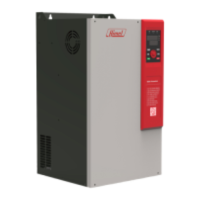
Expert Standard Series Specifications

General IconGeneral
BrandExpert
ModelStandard Series
CategoryTools
LanguageEnglish