13
Operating
1. Inserting MicroFlash card
Note: For best performance, please choose a branded MicroFlash card and format it on your
computer before use. No-name cards are not guaranteed to work flawlessly.
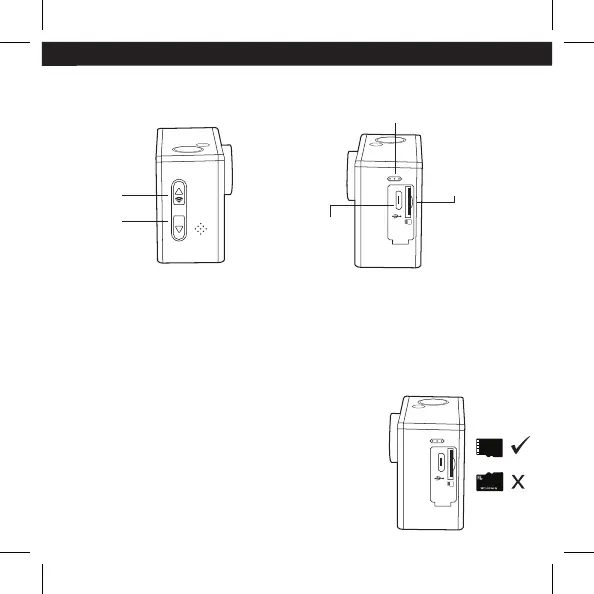
Insert a MicroFlash card with the label facing the screen.
Use brand name memory cards that meet these
requirements:
a) microSD, microSDHC
b) Class 10 speed rating
c) capacity up to 32GB
Up/WiFi
Button
Down
Button
EN
Microphone
Micro
USB Port
Micro Flash
Slot


 To Next Page