8
2. The setting parameter will flash.
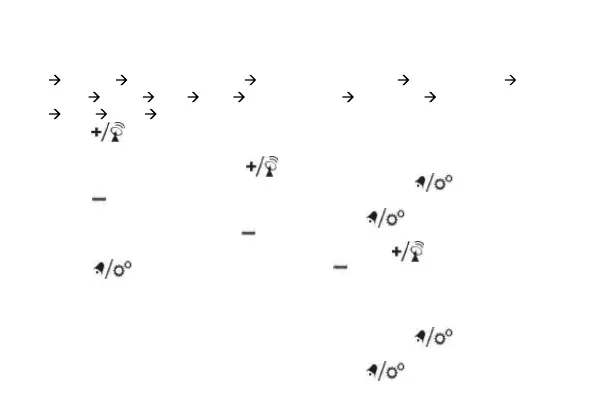
3. Sequence of setting: Weekday Language
12/24 Hr Year (2000 – 2099) Date
format Month Date Hour Minute
Zone °C/°F exit
4. Press [
] button once, the figure will
increase 1 unit (when setting minute, second
will reset to 0). Press and hold the [ ]
button, the figures will increase rapidly.
5. Press [
] button once, the figure will
decrease 1 unit (when setting minute, second
will reset to 0). Press and hold the [
]
button, the figures will decrease rapidly.
6. Press [ ] button to confirm setting
and enter to next parameter.
7. If there is no action in 20 seconds, the setting
will be saved and will exit the setting mode.
LANGUAGE
Sequence of setting weekday language:
German (GER) English (ENG) French
(FRE)
Italian (ITA) Dutch (DUT).
TIME ZONE SETTING
To set a different time zone, proceed as
follows:
1. Press and hold [
] button, enter time
and date setting.
2. Press [ ] button several times until
the display shows the time offset “Zone 00”
3. Press the [ ] button to increase or
[
] button to decrease the Time zone
offset.
°C/°F SETTING
1. Press and hold [
] button, enter time
and date setting.
2. Press [ ] button several times until


 To Next Page