DAYBRIGHT
OMS BLAZE
OPTIMISED MODE SELECTOR (OMS)
OMS allows you to select a burn time tailored to your needs, the longer the burn time the lower the
lumen output, if you double burn time, you halve lumen output.
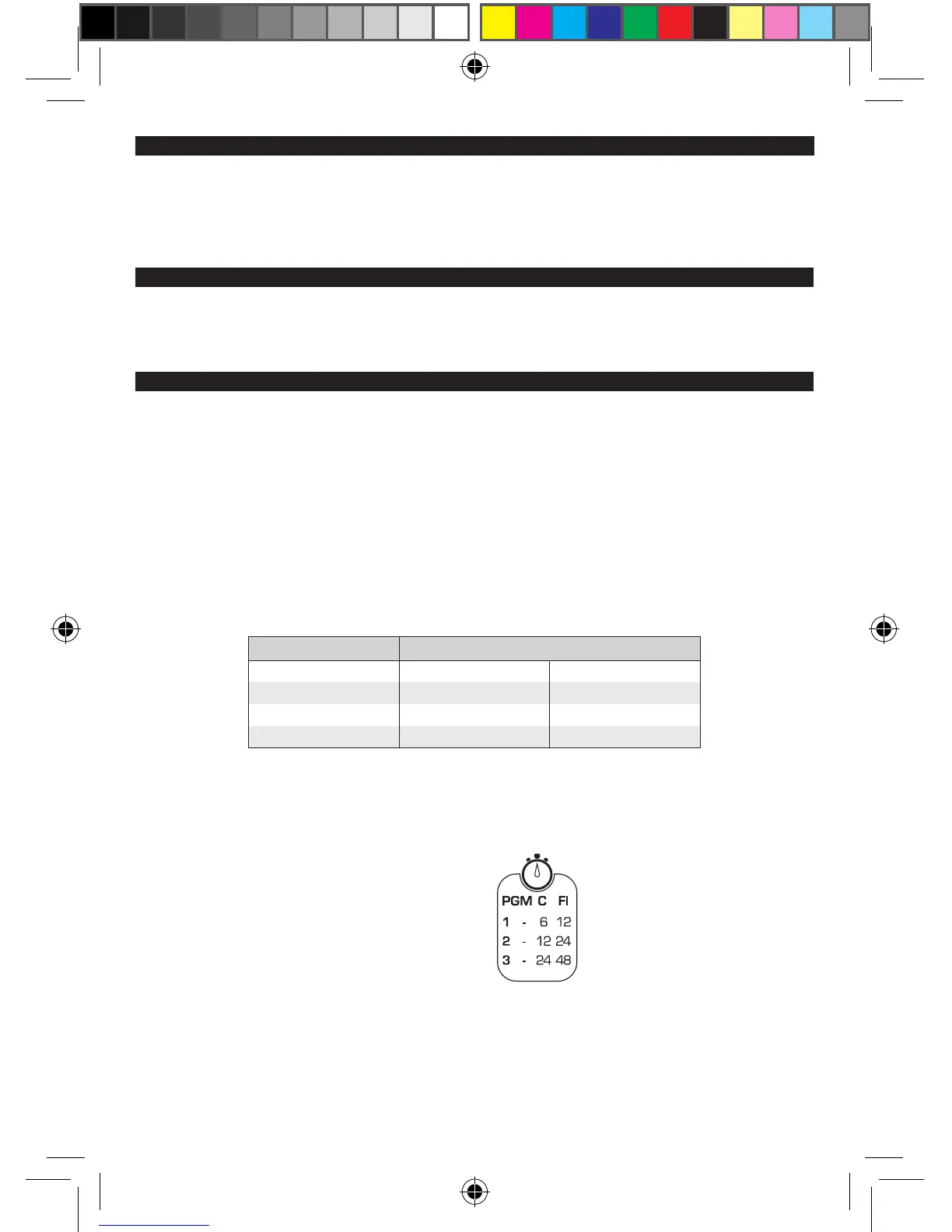
There are three programs to choose from that are shown on the light body.
With the light off press and hold the function button, after 2 seconds the light will ash once, twice
then three times. These ashes correspond to the different programs and you release the function
button after the appropriate ash. e.g. to access Program 2 you release the function button after
the 2nd ash.
The light will then remain in the selected Program, regardless of being turned off and on, until
another Program is selected.
We recommend using your light in DayBright mode during the day for your safety.
To access DayBright mode you need to be in Program 1 and then select the Flash (FL) setting.
An abbreviated version of this table is etched onto the light.
PROGRAM MODE
CONSTANT FLASH
1 HIGH 6 hrs 12 hrs
2 MEDIUM 12 hrs 24 hrs
3 LOW 24 hrs 48 hrs
PGM - Program
C - Constant
Fl - Flash


 To Next Page