4-Port SATA3 RAID/HyperDuo PCIe(x2) Card
3
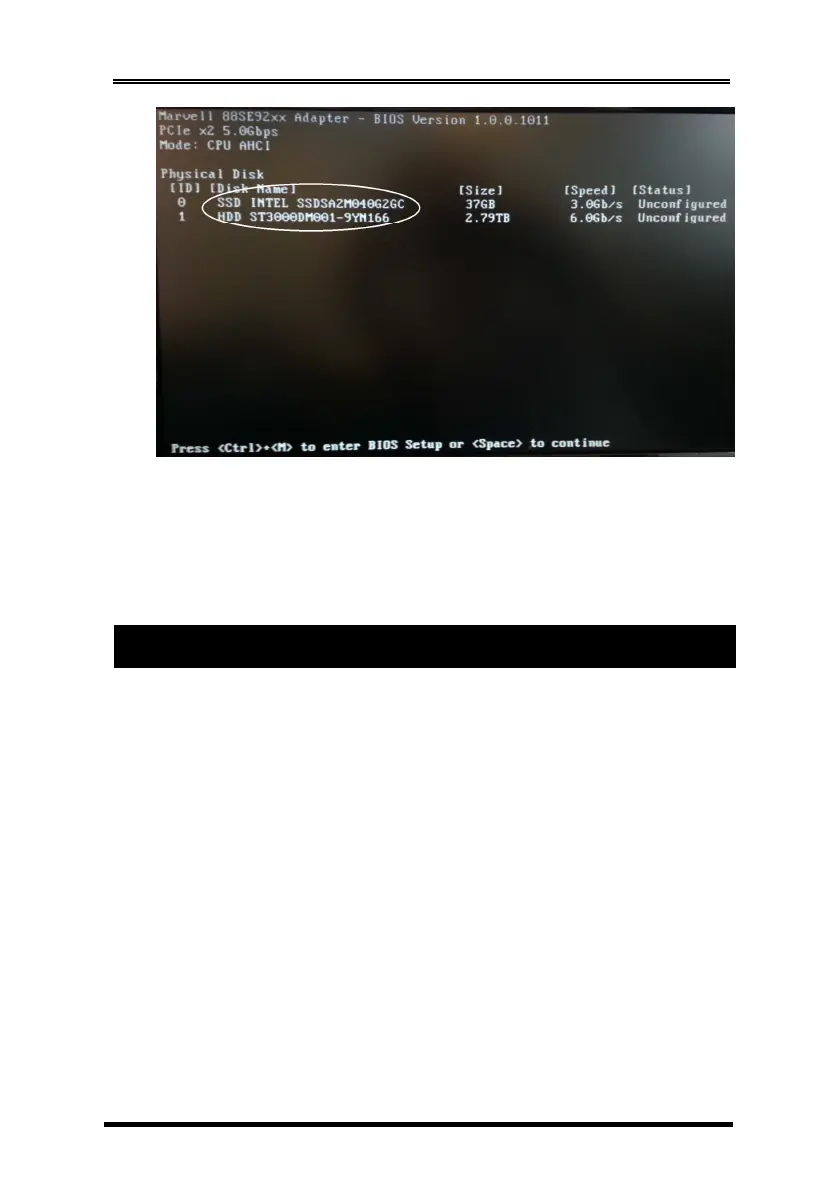
If the information displayed on your monitor is correct (the installed
devices are listed with the correct device name, etc.), congratulations!
You have successfully installed the SATA3 RAID/HyperDuo PCIe Card in
your computer. If you want to configure your RAID drives, press and hold
the 2 keys, Ctrl and M, to enter the BIOS Setup Utility for this card. You can
configure the SATA RAID or HyperDuo modes in the BIOS Setup.
5.1 RAID Modes
This chapter will help you to know the RAID and HyperDuo modes
supported by the SATA3 RAID/HyperDuo PCIe Card.
5.2 Non-RAID mode (Single Disk Mode)
This mode is the Single Disk mode. Each disk drive will be treated as
one disk volume in the operating system.
5.3 Striping (RAID 0)
Read and write sectors of data interleaved between multiple drives.
When any disk member fails, it affects the entire array. Performance is
better than a single drive since the workload is balanced between
the array members. This array type is for high performance systems.
Identical drives are recommended (but not necessary, if the sizes
differ, it will truncate the bigger drive so the sizes match, it will cause a
waste) for performance as well as data storage efficiency. The disk
array data capacity is equal to the number of drive members times
the smallest member capacity.
5. RAID and HyperDuo Modes


 To Next Page
 Loading...