2
RS-232 Isolator and Surge Protector
3. Accessories
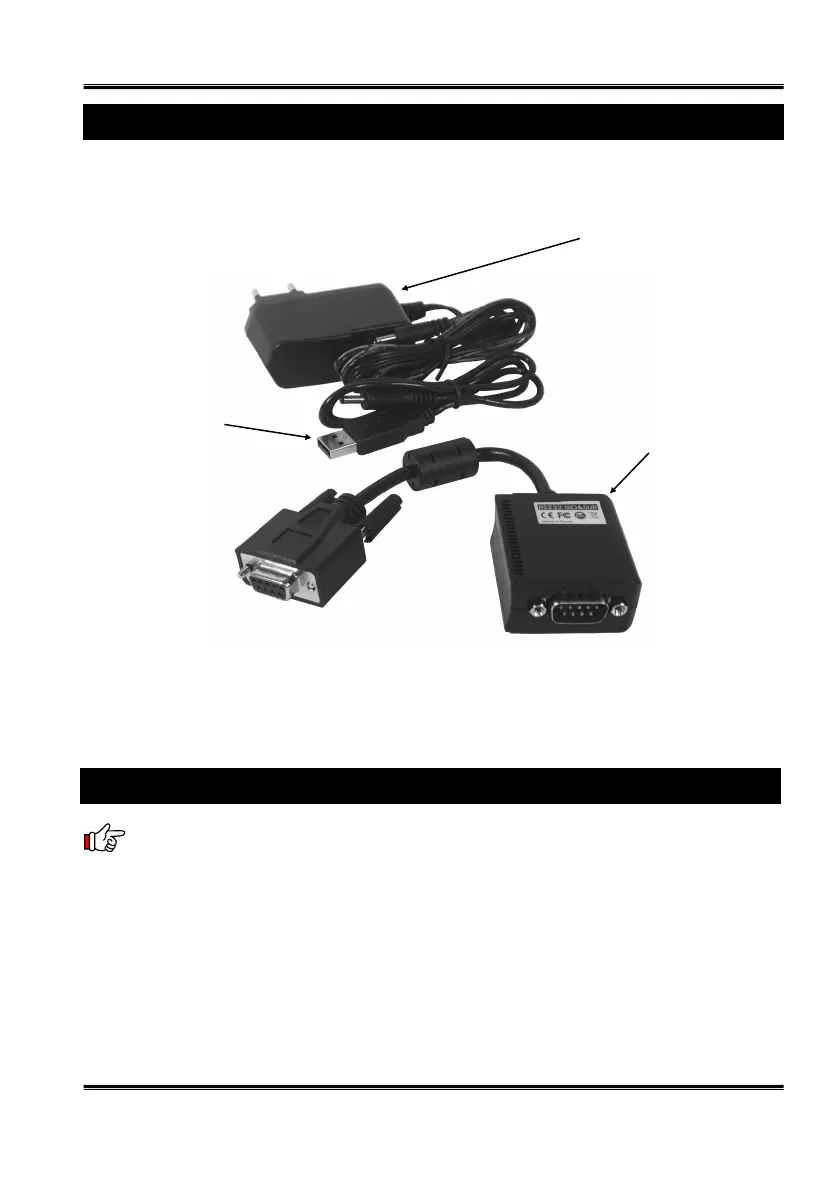
Note: Since this isolator hardware unit should be powered by the external pow-
er source, please connect the 5V AC power adapter or the USB-to-Power-DC-Jack
Conversion Cable to make sure the unit works properly. If you are using the USB-to-
Power-DC-Jack Cable instead of the AC adapter, please make sure that the USB port
is at Host side (the same side as the DB9 Female connector), DO NOT connected to
the USB port at the device side (the same side as the DB9 Male connector), otherwise,
the unit won’t work and the DC power was passed though the isolation circuits so the
isolator will not function properly.
4. Installing the Isolator and Surge Protector
5V AC Adapter
USB to DC Power
Jack Conversion
Cable
RS232 to RS232 Isolator
and Surge Protector


 To Next Page
 Loading...