3
RS-232 Isolator and Surge Protector
1. Use static electricity discharge precautions.
Remove possible static discharge potential from any objects that the converter
may come in contact with before installation. This can be accomplished by touch-
ing a bare metal chassis rail after you have turned off the power.
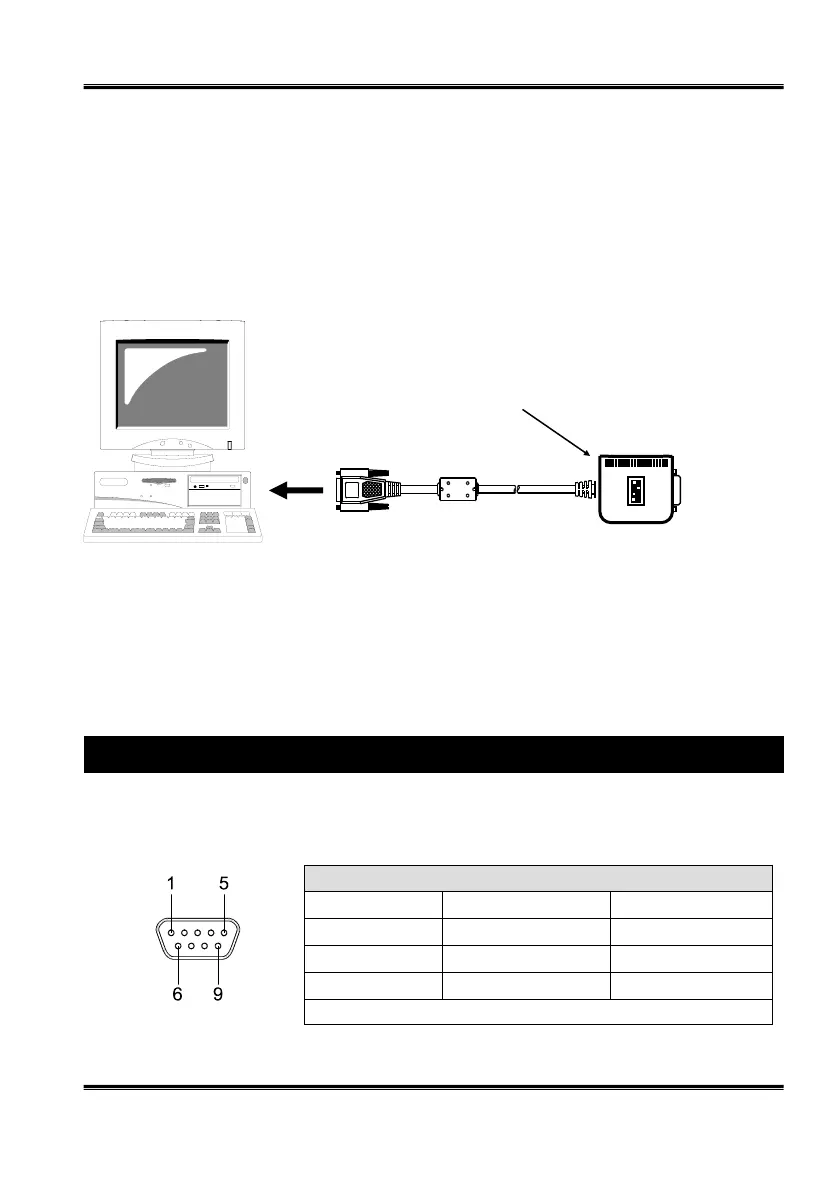
2. Locate an unused RS232 port (with DB9 male connector, configured as
DTE), insert the DB9 female connector of the isolator on it
RS232 to RS232 Isolator
and Surge Protector
3. Installing RS232 cable
Connect the RS232 cable from the Isolator’s DB9 male connector to the RS232
device.
4. Connect the 5V AC Adapter or USB-to-Power-DC-Jack Conversion Cable
5. RS-232 Mode Male DB9 Assignments and Cable Wiring
DB9-Male Pin Assignment:
Serial 9 Pin D-SUB male connector (S1 and S2):
Pin Signal Pin Signal Pin Signal
1 NC 4 NC 7 NC
2 RXD 5 GND 8 NC
3 TXD 6 NC 9 NC
NC = No connect


 To Next Page
 Loading...