EasyManua.ls Logo

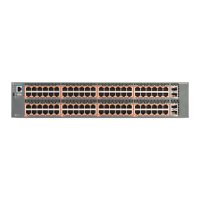
EXTREME SWITCHING ERS 3626GTS-PWR+ - User Manual

Default Icon
9 pages
Print Icon
To Next Page IconTo Next Page
Loading...
Installation Job Aid for Ethernet Routing
Switch 3600 Series
9035520
May 2018
Notices
Notice paragraphs alert you about issues that require your attention.
Following are descriptions of the types of notices used in this document.
Note:
Notes provide tips and useful information regarding the installation and operation of products.
Electrostatic alert:
ESD notices provide information about how to avoid discharge of static electricity and
subsequent damage to products.
Caution:
Caution notices provide information about how to avoid possible service disruption or damage to
products.
Warning:
W
arning notices provide information about how to avoid personal injury when working with
products.
Voltage:
Danger—High V
oltage notices provide information about how to avoid a situation or condition
that can cause serious personal injury or death from high voltage or electric shock.
Danger:
Danger notices provide information about how to avoid a situation or condition that can cause
serious personal injury or death.
©
2018, Extreme Networks, Inc.
All Rights Reserved. 1
Question and Answer IconNeed help?

Do you have a question about the EXTREME SWITCHING ERS 3626GTS-PWR+ and is the answer not in the manual?

Summary

Notices

Electrostatic Discharge Safety

Information on avoiding discharge of static electricity and subsequent product damage.

Personal Injury Warning

Warning notices providing information on avoiding personal injury when working with products.

High Voltage Shock Hazard

Danger-High Voltage notices to avoid injury or death from high voltage or electric shock.

Serious Harm Danger

Danger notices to avoid situations causing serious personal injury or death.

Safety Messages

Qualified Personnel Installation

Installation must be performed by qualified personnel only, following all notices.

Fiber Optic Laser Eye Safety

Fiber optic equipment emits laser light; never look into optical fibers to avoid eye injury.

Installing on a Table or Shelf

Installing in an Equipment Rack

Connecting AC Power

Grounding Path for Electrical Safety

Use power cords with a grounding path to prevent electrical shock and excessive emissions.

EXTREME SWITCHING ERS 3626GTS-PWR+ Specifications

General IconGeneral
BrandEXTREME SWITCHING
ModelERS 3626GTS-PWR+
CategorySwitch
LanguageEnglish

Related product manuals