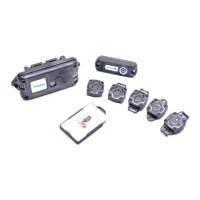
7.3 Battery Replacement – iTAGXB40 - Sense Ultra
WARNING Only the specified battery type should be used with this device. Failure to use the
correct battery type may result in a malfunction or damage to the battery or device.
WARNING Always replace the batteries in a dry and clean environment to prevent water and
debris from getting inside the device.
WARNING Always dispose of old batteries in an environmentally responsible way.
WARNING Under tightening will cause case to leak.
WARNING Overtightening the screws will cause damage to the brass inserts.
To replace the batteries in iTAGXB40 you will need to untighten, and torque tighten four
2.5mm hexagonal head captive screws to 7kgf-cm (0.7Nm). Use Saft LS14500.
We recommend using the following tools:
We recommend using a t-handle key to manually tighten the screws and then a torque
screwdriver* to ensure the screws are correctly tightened after the use of the t-handle:
2.5mm hex T-Handle key:
https://uk.rs-online.com/web/p/hex-keys/1923643/ RS PRO Hex Key Set, T Shape 2.5mm
Torque screwdriver:
https://uk.rs-online.com/web/p/torque-screwdrivers/8757552 Wera 1/4 in Hex Pre-Settable
Torque Screwdriver, 0.3 → 1.2Nm
Alternatively, you can use an electronic screwdriver with torque setting, and then a torque
screwdriver* to ensure the screws are correctly tightened after the use of the electronic
screwdriver:
Electric screwdriver with torque setting:
https://www.bosch-professional.com/gb/en/products/bosch-go-06019H2170 Bosch GO
Cordless Screwdriver (recommended torque setting 3)
* Make sure the torque screwdriver torque setting is set with a calibrated torque
measurement device before use.


 To Next Page
 Loading...