Setting-Calibration
Remote Control Alert Instructions:
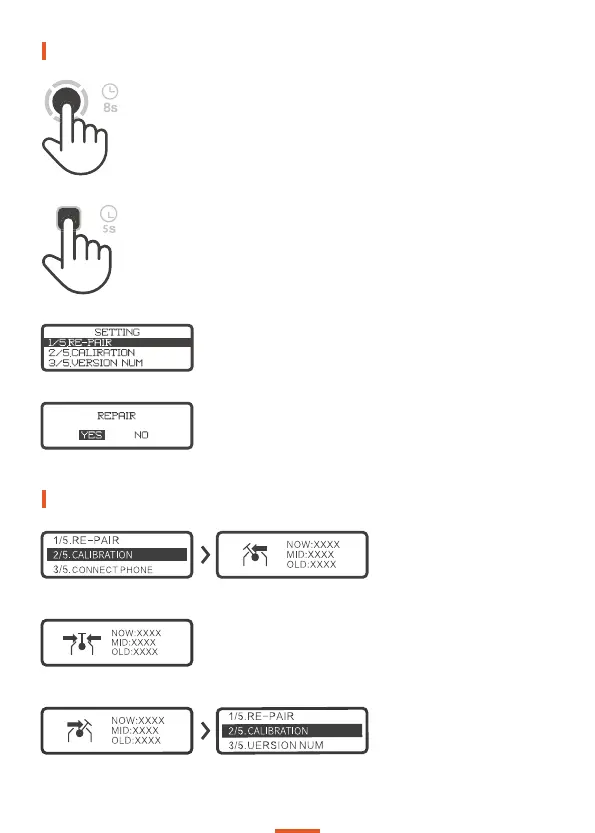
Push the roller forward to the
bottom withot letting go, press A
button to Confirm.
Enter lnto Pairing Mode
Completely turn off the board and then long press the board′s power
button for 8 seconds.
Enter lnto Setting Mode
Long press the remote′s button A for 5 seconds.
Choose the first option “RE-PAIR”
Choose the corrsponding Exway board and
then “YES”
Calibrate the neutral position,
release the roller to make it frss,
press A button to confirm.
Press A button to confirm when
calibration is complete and the
calibration interface is
automatically exited.
04


 To Next Page