GAMES
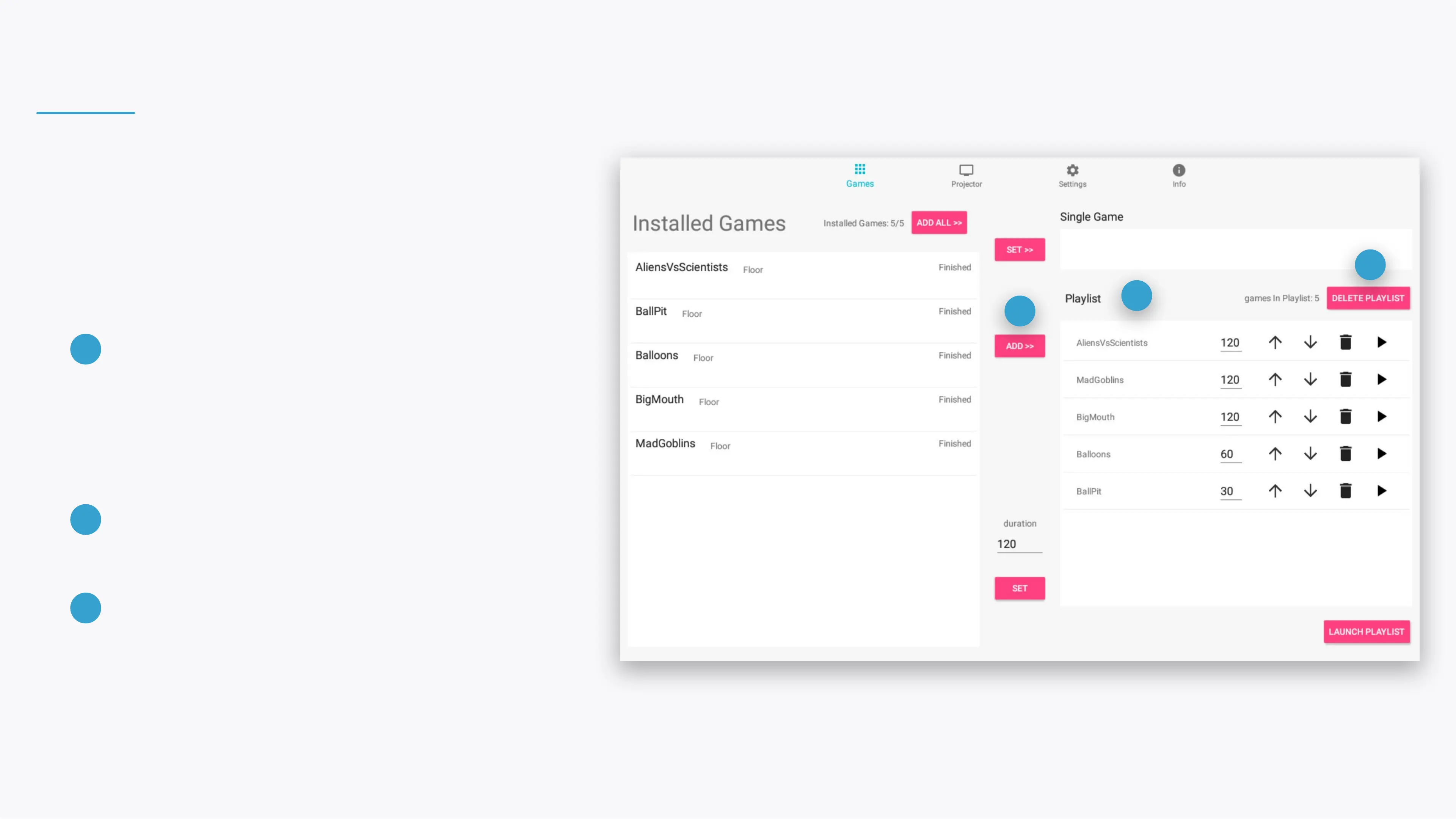
Control your games and playlist.
ADD SELECTED GAMES
Once you've selected several games from the
Installed Games list, click on the ADD >> button
to add them to the Playlist. Click on the ADD ALL
>> button to add all the installed games at once.
1
1
2
3
PLAYLIST
This list contains all the games set to be played.
2
DELETE PLAYLIST
Clear all the games in the playlist - you can always
add them again from the Installed Games list.
3
Note
You can also click the ADD ALL >> button to select and add all the
installed games to the Playlist.


 To Next Page