GAMES
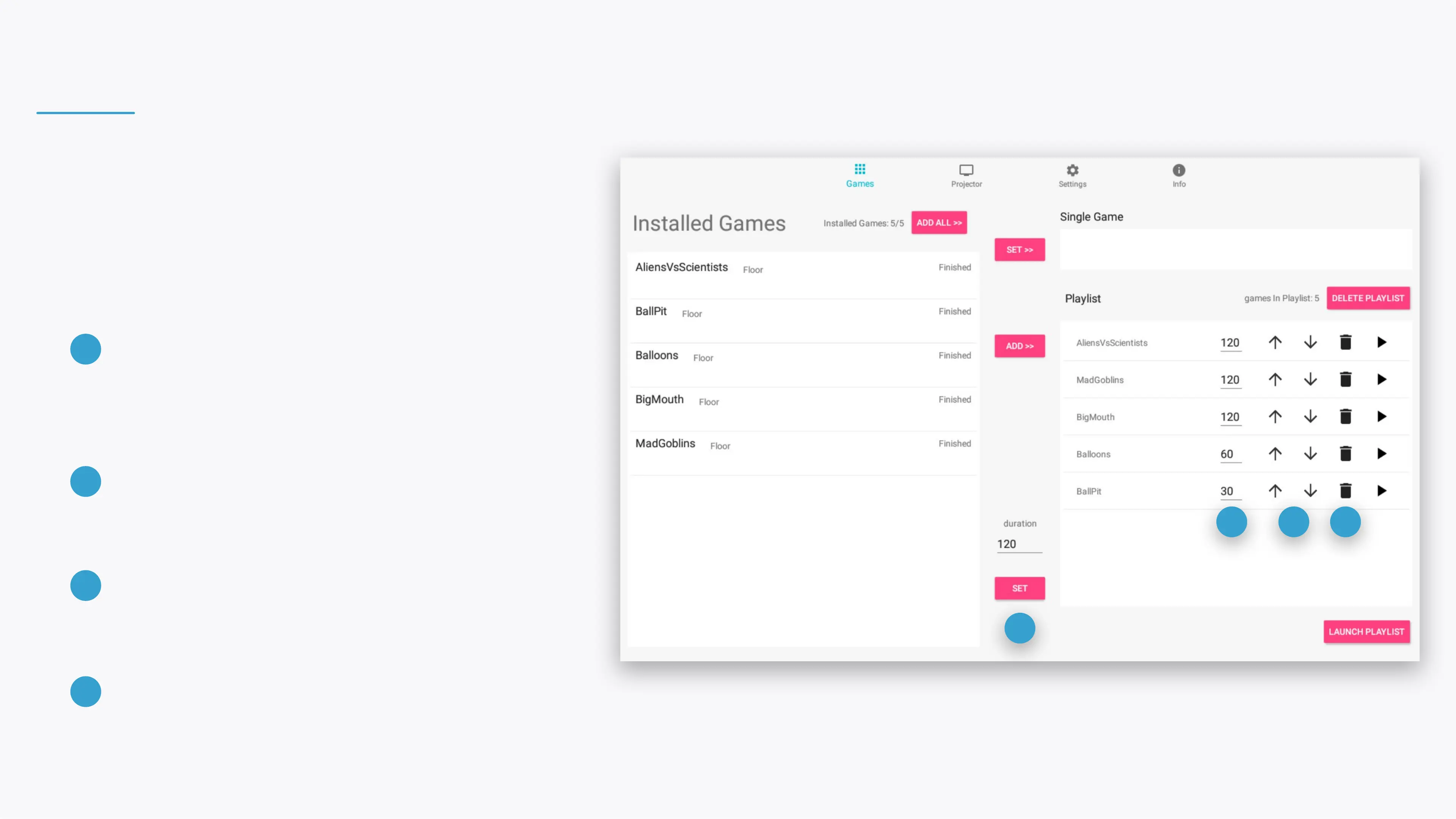
Control your games and playlist.
SET PLAYLIST GAMES' DURATION
Edit the seconds eld and click the SET button
to change the duration for all the games
currently in the Playlist.
1
2
1
3 4
SET A GAME'S DURATION
Edit the seconds eld to change the duration of a
specic game in the Playlist.
2
ORDER ARROWS
Click the arrow buttons to change the game
order in the Playlist.
3
REMOVE GAME
Click the remove button to remove a specic
game from the Playlist.
4


 To Next Page