5. Micro SD card slot – Plug Micro SD card saving record file.
6. Record Button – Press to record video (even without video input), press again to stop and save file. Long time
(about 3 seconds) press to switch PLAY mode and DATA mode.
7. PWR LED – It will light green when you connect DC power or computer’s USB port.
8. REC LED – It will light red and flash when ezcap272 is recording.
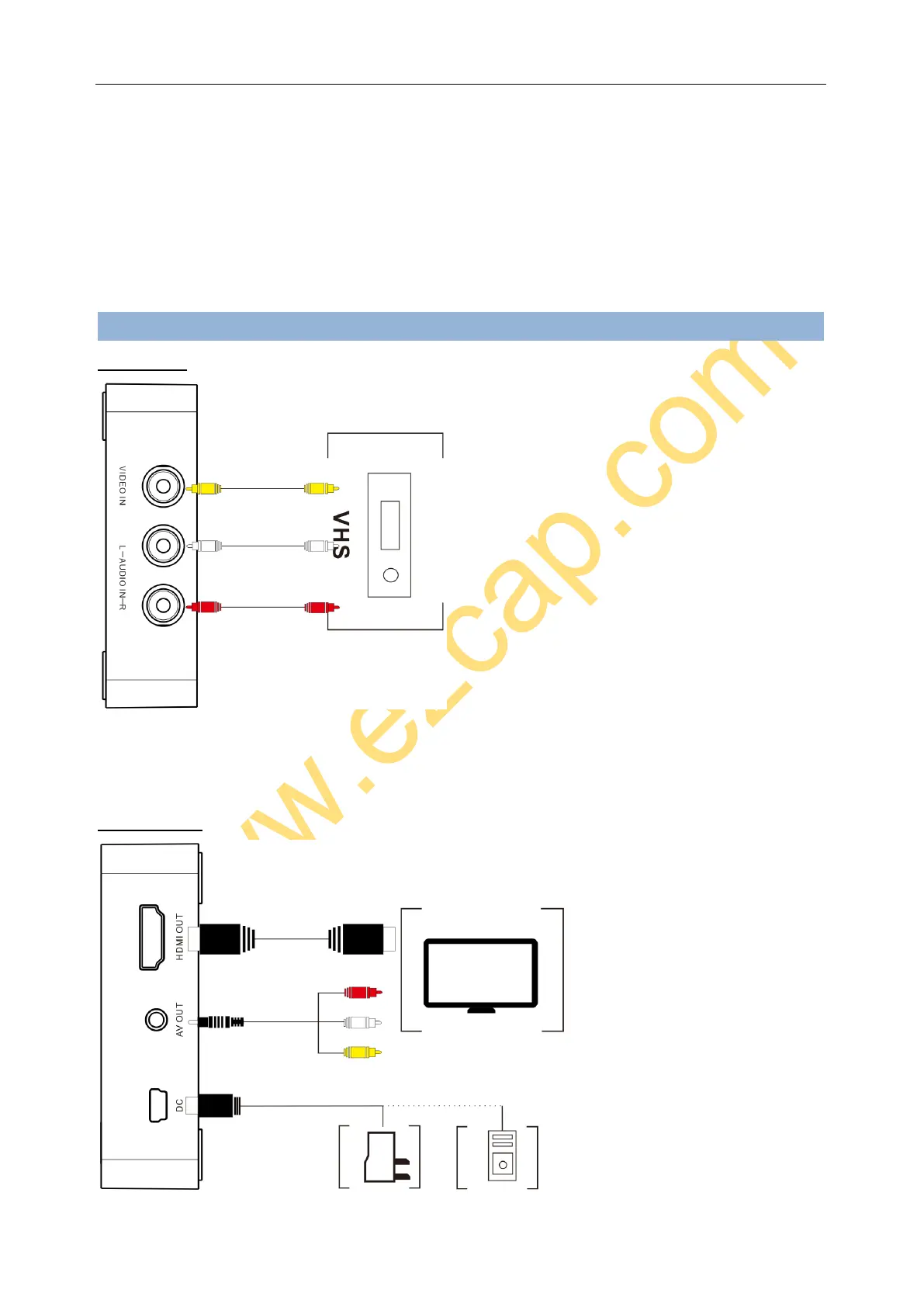
Connections
VIDEO INPUT
Use the RCA video audio cable (usually come with video source device included) to connect to the video source and
INPUT VIDEO and L/R AUDIO of device.
The RCA connectors to VHS, yellow = video, white = audio left channel, red = audio right channel.
VIDEO OUTPUT


 To Next Page