2
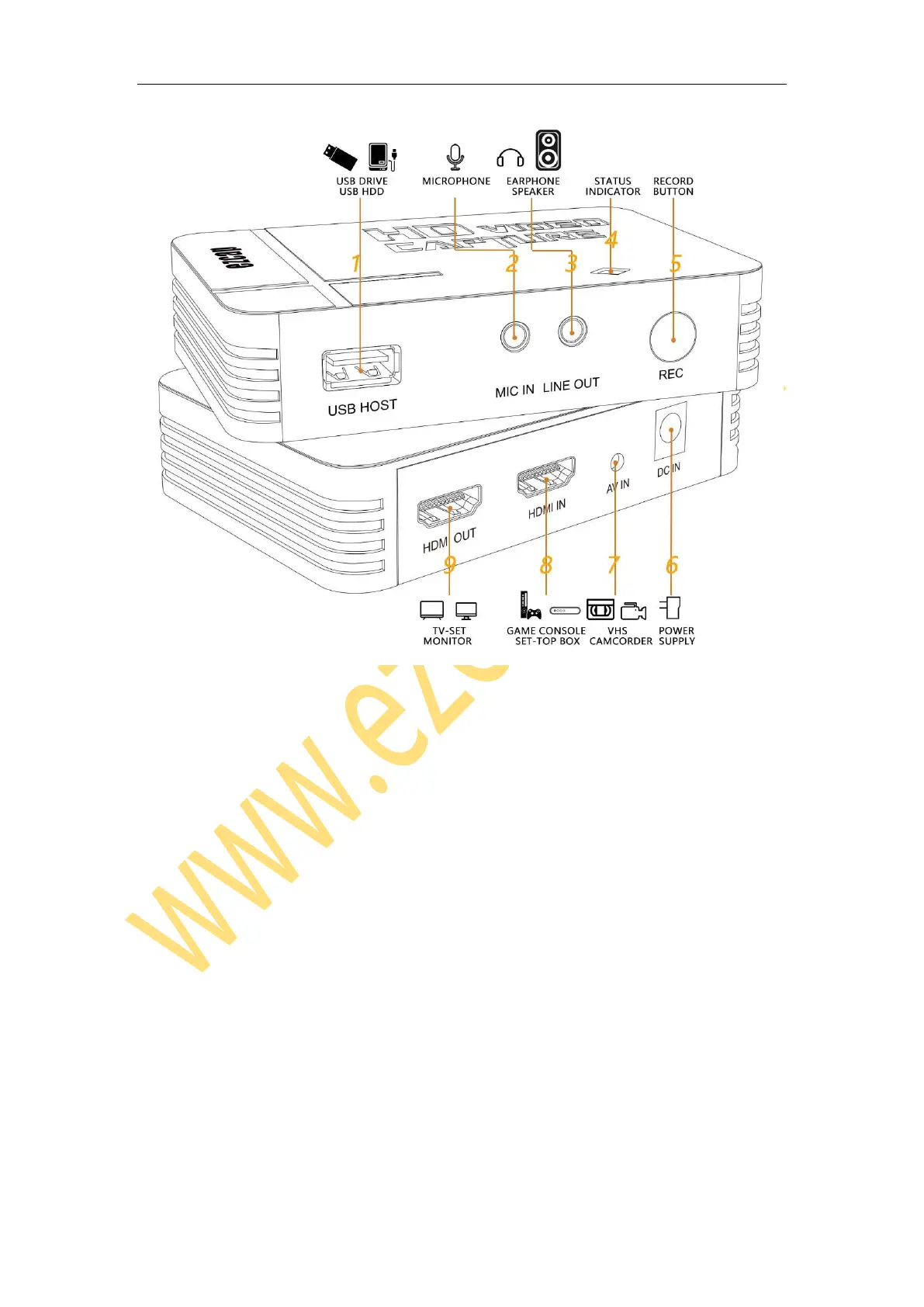
1. USB HOST – Plug an USB flash drive or USB HDD to save the recorded files.
After you plug, you need to wait 4 – 8 seconds for USB flash drive to be ready.
Supports FAT, FAT32 and NTFS format USB flash drive and USB HDD, does not
support exFAT format. Please format USB flash drive before use it. After format,
please exit it from your computer in safe mode.
2. MIC IN – Connect to microphone (3.5mm 3-pole TRS) to mix sound with video
together.
3. LINT OUT – Connect to earphone or speaker (3.5mm 3-pole TRS)
4. Status Indicator – Power on: Green. Recording: Red. Stop and Saving: Red flashing.
5. REC – Press to start recording, press again to stop recording.



 To Next Page