3
below.
Work with OBS
Select Device
After download and installation, double click OBS Studio icon on desktop to run OBS.
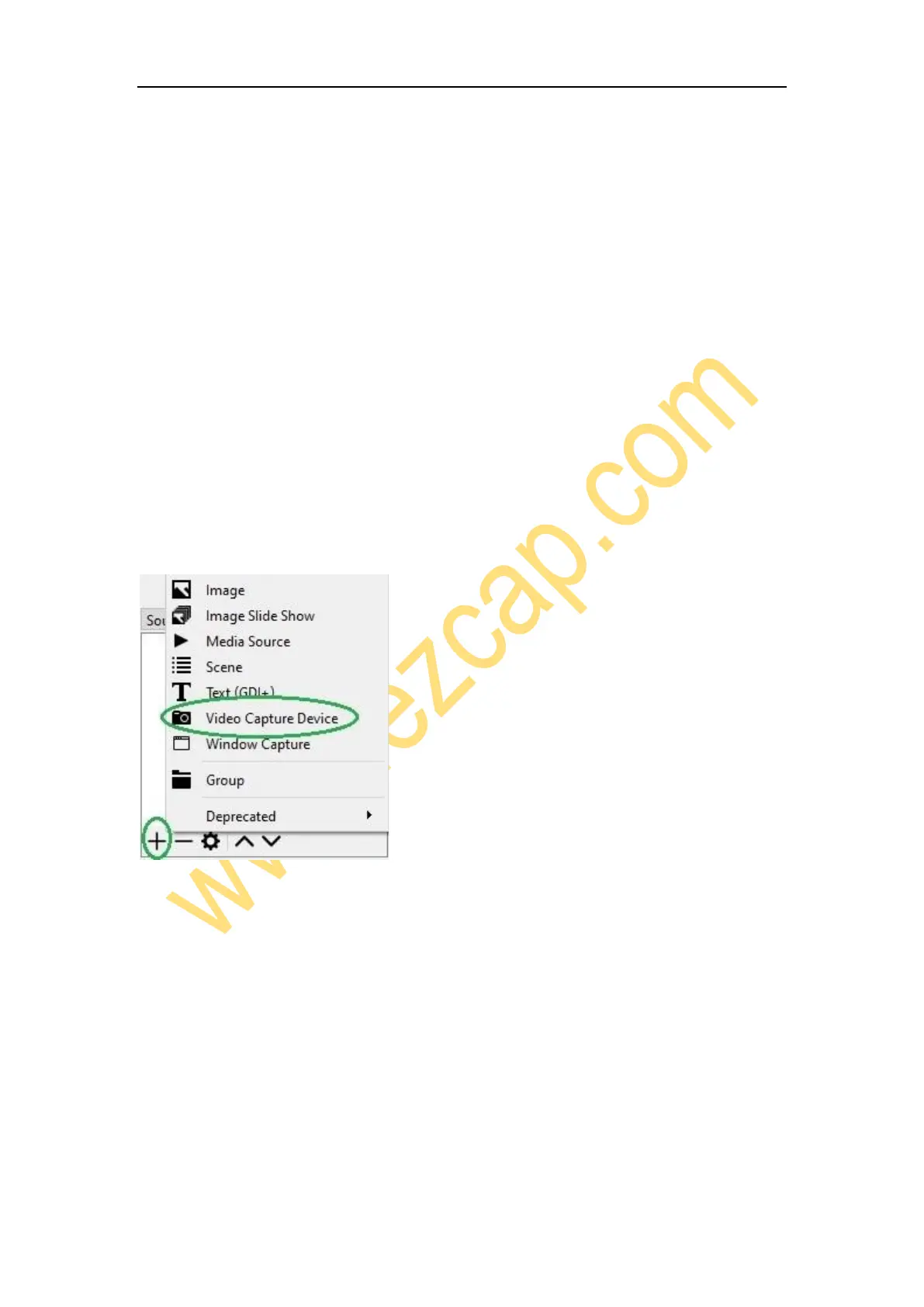
Click icon +under Sources window at the bottom left of OSB panel, and select Video
Capture Device. Click OK in the new pop-up window. You also can insert a name you
want to create for the device. One window will appear you after above. Please click the
drop-down box next to Device and select ezcap Live Gamer RAW.
Video Setting
You should get the video in window. If not, and you see Check Resolutions Settings on
the window, you need to set the video resolution. Click the drop-down box next to
Resolution/FPS Type and select Custom, then click the drop-down box next
Resolution to select one resolution that same or smaller as the resolution of your video



 To Next Page