4
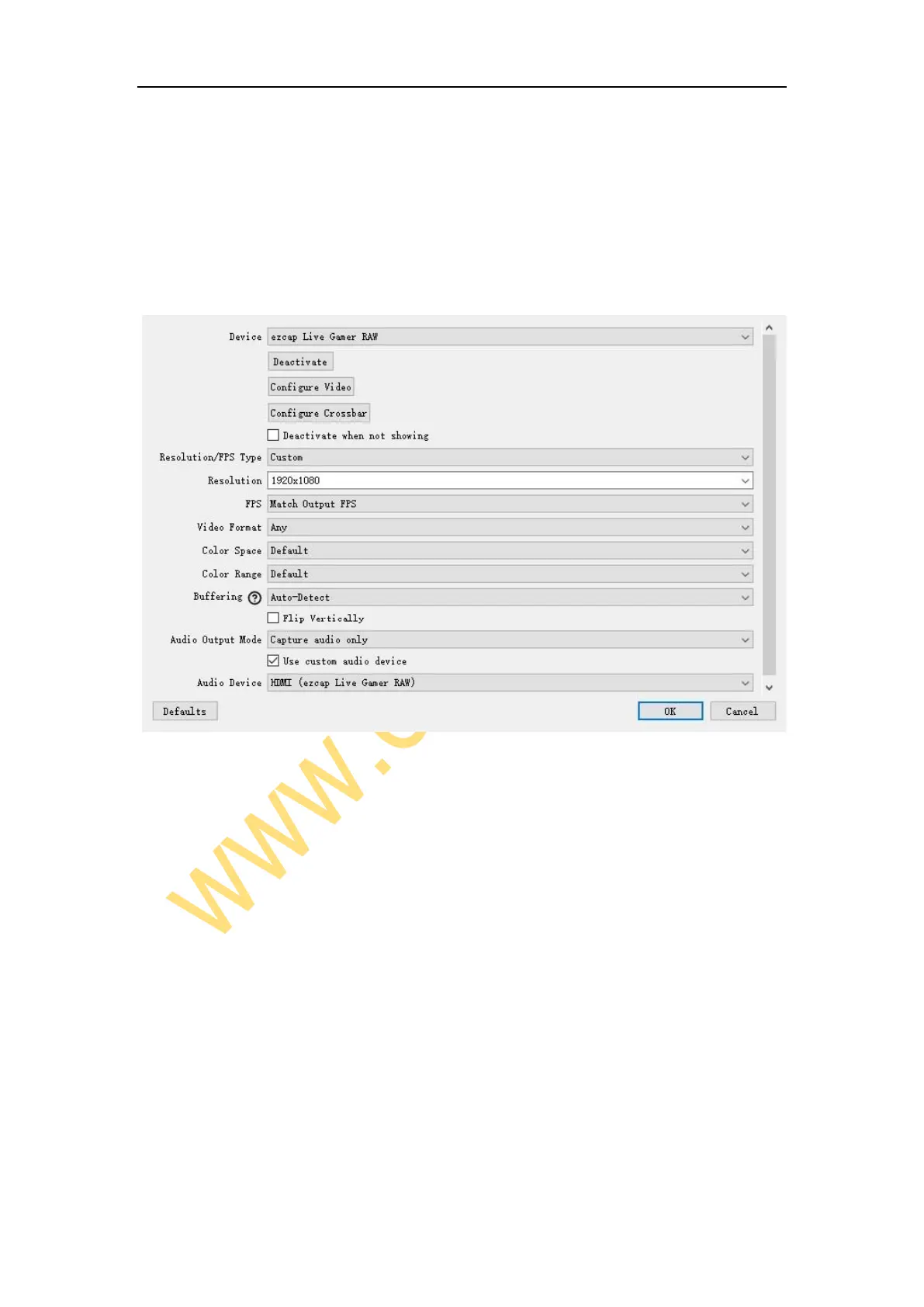
source. Because the default video output resolution of device is 3840 x 2160, and
software will not display video if resolution of video source is smaller than 3840 x 2160,
such as 1920 x 1080. Now you need to set resolution to 1920 x 1080 or smaller resolution,
then you will see the video on the window.
If resolutions of video source and device output are 3840 x 2160, you may find that
the viewing picture is way out of the frame of OBS. Right click image window of OBS,
select Resize output (source size), and you will get the whole picture.
You can click the drop-down box next to FPS to select the appropriate FPS - 30, 60,
Highest FPS, or Match Output FPS, and click the drop-down box next to Video Format
to select the video format - XRGB, NV12, or YUY2.
The video format options depend on resolution, the max FPS depends on both
resolution and video format:



 To Next Page