8
drop-down box next to Service to choose the software platform you want, then click
icon Apply and OK in the Settings panel.
Click Start Streaming in the low right conner of OSB panelt o start streaming, and
click Stop Streaming to stop streaming.
Note: Please click the help at the top of the OBS interface, and learn more about OBS
in the link that pops up.
Specifications
Input & Output (Pass-Through)
Max. Pass-Through Resolution
2160p30, 1440p60, 1080p120
Max. Recording Resolution
1080p120, 2160p30, 1440p60
2160p, 1440p, 1080p, 720p
Operating System
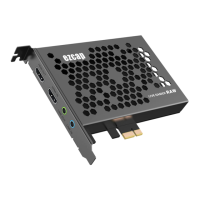
Windows 10 x64, PCI-E X1 slot



 To Next Page