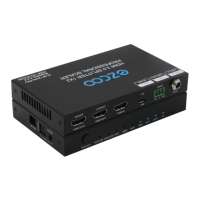
Need help?
Do you have a question about the EZCOO EZ-SP12H2 and is the answer not in the manual?
Set EDID to 4K position for optimal audio/visual format.
Guidance on upgrading older firmware for Dolby Atmos/Vision sync.
Manage EDID via PC for HDMI audio/video channel support.
Troubleshooting HDR, cables, and signal integrity problems.
Configure PS4 PRO/Xbox ONE for Bitstream audio output.
Steps to achieve HDR (HDR 10 & HDR Dolby Version) picture.
Using the 'Port Helper' tool for EDID settings via PC.
Instructions for using the SmartMcu tool for device configuration.
Reference for system control and setup commands.
Using DfuSe Demo software to update firmware.
 General
| Product Type | HDMI Splitter |
|---|---|
| Model | EZ-SP12H2 |
| Brand | EZCOO |
| Bandwidth | 18 Gbps |
| Output Ports | 2 |
| Input Ports | 1 |
| Connector Type | HDMI |
| Color | Black |
| Material | Metal |
| Compatibility | HDMI-enabled devices |
| Audio Format | Dolby Digital, DTS |
| HDCP Version | HDCP 2.2/1.4 |

 To Next Page