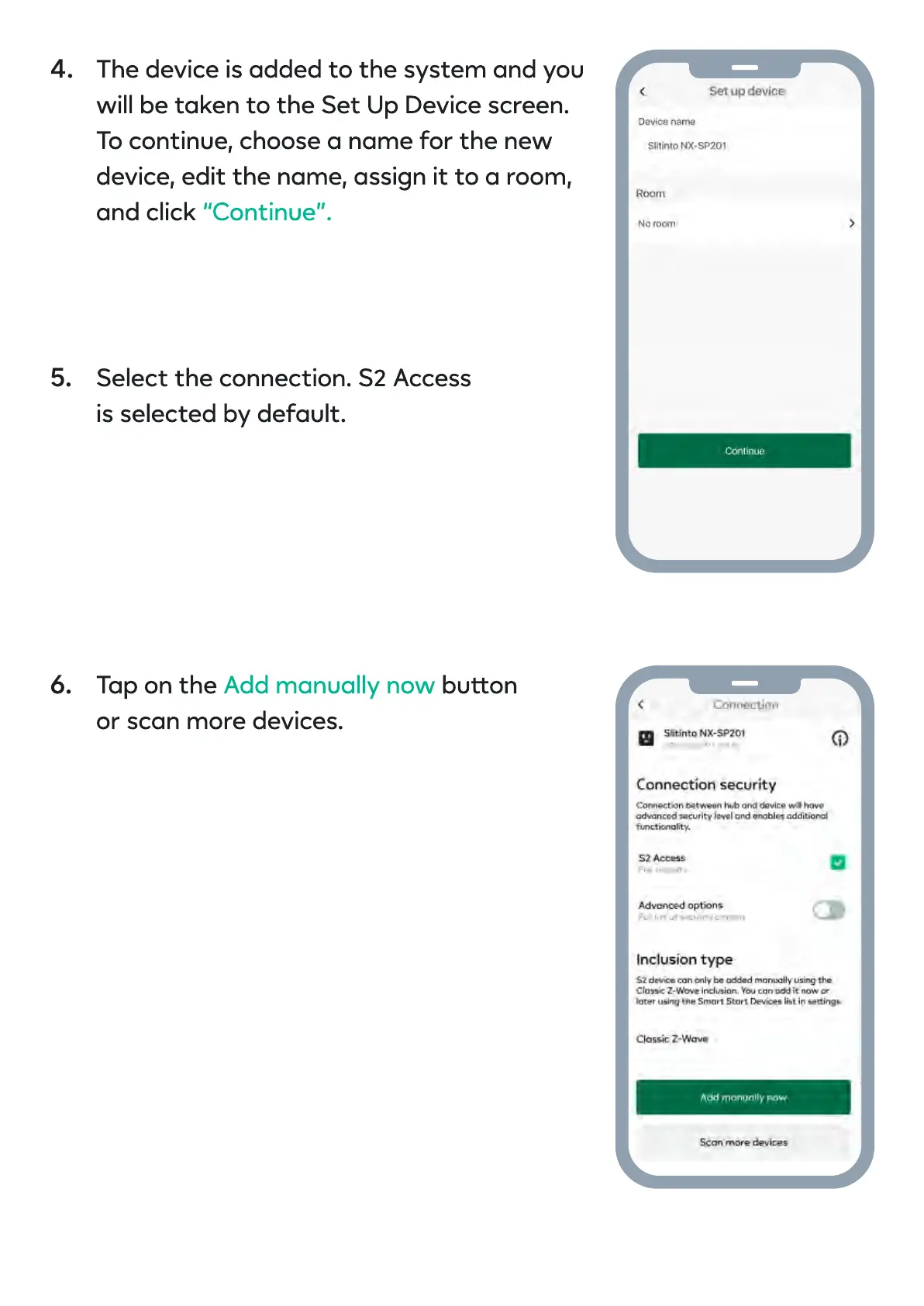
The device is added to the system and you
will be taken to the Set Up Device screen.
To continue, choose a name for the new
device, edit the name, assign it to a room,
and click
“Continue”.
Select the connection. S2 Acces
is selected by default.
4.
5.
Tap on the buo
or scan more devices.
Add manually now6.


 To Next Page