Controller Reset
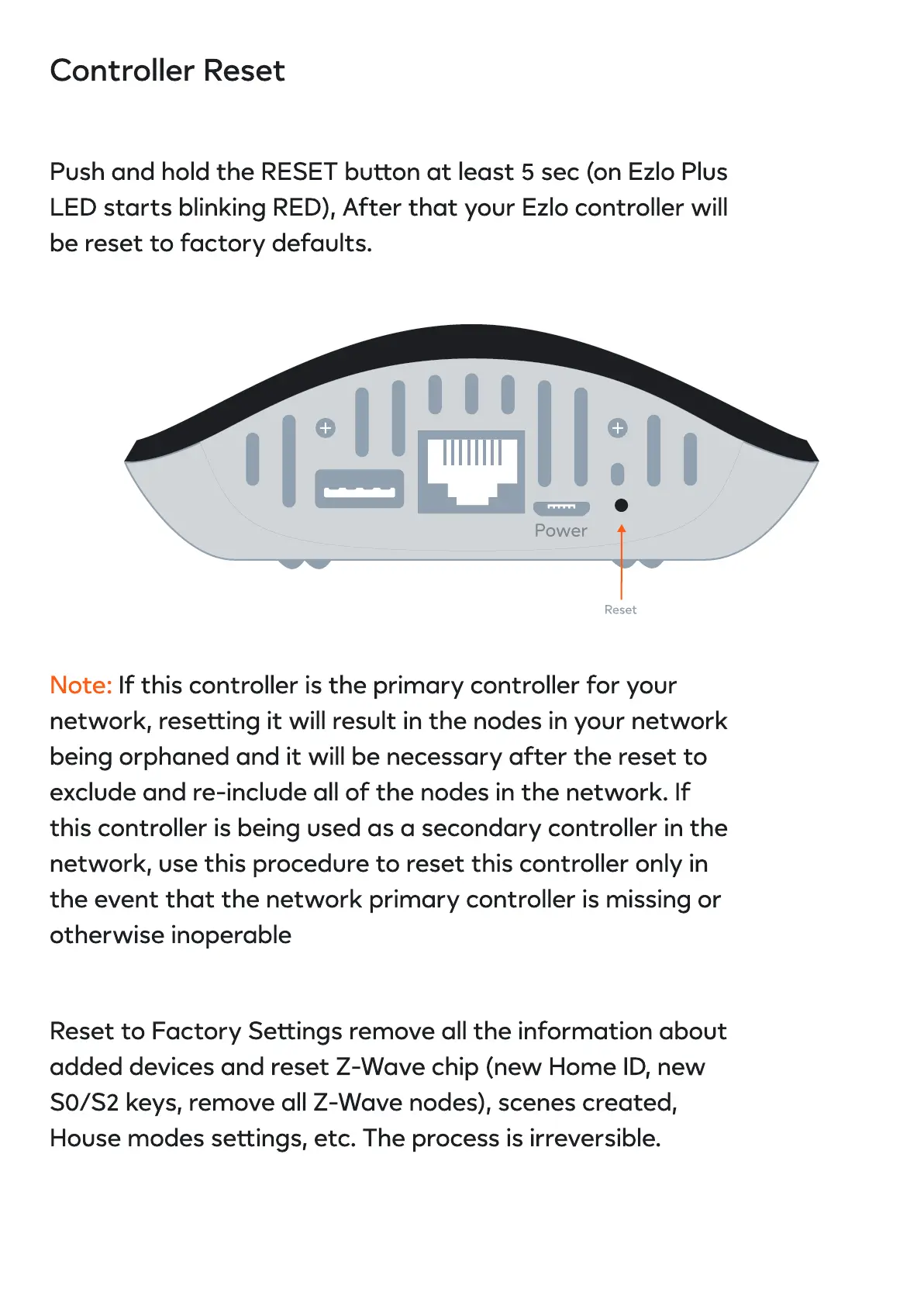
Push and hold the RESET buon at least 5 sec (on Ezlo Plus
LED starts blinking RED), After that your Ezlo controller will
be reset to factory defaults.
Note: If this controller is the primary controller for your
network, reseing it will result in the nodes in your network
being orphaned and it will be necessary after the reset to
exclude and re-include all of the nodes in the network. If
this controller is being used as a secondary controller in the
network, use this procedure to reset this controller only in
the event that the network primary controller is missing or
otherwise inoperable
Reset to Factory Seings remove all the information about
added devices and reset Z-Wave chip (new Home ID, new
S0/S2 keys, remove all Z-Wave nodes), scenes created,
House modes seings, etc. The process is irreversible.
Reset


 To Next Page