EasyManua.ls Logo

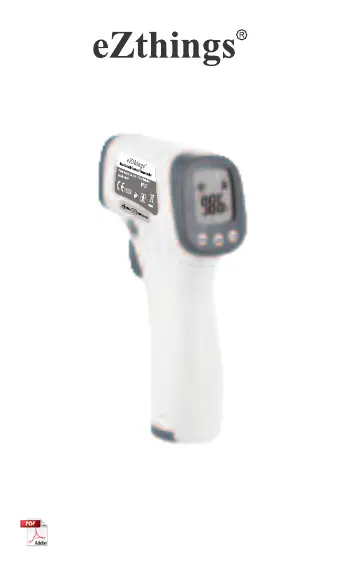
eZthings HW-F7 - User Manual

eZthings HW-F7
18 pages
Print Icon
To Next Page IconTo Next Page
Loading...
Please read this manual instruction thoroughly before use.
Non-Contact Forehead Thermometer
Version: V2.0 Date: 2020-06-08
Compliant to IEC 60601-1, IEC60601-1-11, IEC 60601-1-2,
Heavy Duty Sensor
IEC 62304, ISO80601-2-56, ASTM E1965-98
Manual instruction
Model: HW-F7

Questions and Answers

  • B
    brittany18Aug 6, 2025
    What to do if my eZthings Thermometer shuts off right after switching on?
    • B
      Bianca FaulknerAug 7, 2025
      If your eZthings Thermometer shuts off immediately after you switch it on, first, verify the battery level. If the battery isn't the issue, try removing the battery and then reinstalling it to see if that resolves the problem.
  • A
    Andrew ColemanAug 13, 2025
    Why does my eZthings Thermometer LCD display 'LO' or 'HI'?
    • J
      John CalderonAug 13, 2025
      If your eZthings Thermometer displays 'LO' or 'HI' on the LCD, it could be due to environmental factors affecting the measurement. Things like a breeze, water, sweat, or cosmetics on the forehead might interfere. Also, ensure the thermometer has been in a stable environment for at least 10 minutes to reach heat balance before taking a measurement. Finally, make sure you're holding the thermometer at the correct distance, which is 5cm to 8cm from the forehead.
  • B
    brittanywoodardAug 22, 2025
    What to do if my eZthings Thermometer has no display or improper display?
    • R
      Richard BarnettAug 22, 2025
      If your eZthings Thermometer shows no display or an improper display, try taking out the battery and installing it again. This may help to reset the device and resolve the display issue.
  • E
    Edward HooperAug 29, 2025
    What to do if my eZthings Thermometer has no response when pressing measurement button?
    • A
      Amy SantanaAug 29, 2025
      If your eZthings Thermometer doesn't respond when you press the measurement button, try removing the battery and then reassembling it. This might help reset the device and allow it to respond correctly.

Summary

Operating Instructions

Battery Installation

Instructions for opening the thermometer and installing 2*AAA batteries.

Measurement Distance

Recommended distance of 5-8cm from probe to forehead for accurate measurement.

Measurement Mode and Start

Selecting measurement mode and initiating temperature taking.

Reading Display

How the temperature reading is displayed after measurement.

Instruction Manual

Introduction & Classification

Overview of the thermometer, its applications, and device classification.

Working Principle

Explanation of infrared radiation detection for temperature measurement.

Safety Precautions

Critical warnings and guidelines for safe operation and handling.

Features & Specifications

Recommendations

Advice on proper usage, exposure, and reporting issues.

Product Features

Key functionalities like measurement modes, beeper, and LCD display.

Technical Parameters

Detailed specifications including measurement distance, range, and resolution.

Device Overview

Device Illustration

Diagrams showing thermometer components, dimensions, and labels.

Display & Icons

Explanation of screen indicators, battery level, and measurement modes.

Button Functions

Description of the purpose of each button on the device.

Operation and Care

Setting Measurement Modes & Scales

How to change temperature units and measurement modes.

Measurement Procedures

Step-by-step guides for body and object temperature measurement.

Exceeding Measurement Range

Indicators for readings outside the normal temperature limits.

Battery Replacement

Instructions for safely replacing the device batteries.

Maintenance & Tips

Guidance on cleaning the sensor and general care for accuracy.

Troubleshooting & Disposal

Troubleshooting

Common issues like 'LO'/'HI' display and no response, with solutions.

Disposal

Guidelines for environmentally responsible disposal of the device and batteries.

Compliance and Declarations

EMC Declaration

Information on electromagnetic compatibility, emissions, and immunity.

Quality Commitment

Manufacturer Information

Company name, address, email, and phone number of the manufacturer.

eZthings HW-F7 Specifications

General IconGeneral
Power Source2 x AAA batteries
Dimensions100 x 80 x 25 mm (3.9 x 3.1 x 1.0 in)
DisplayLCD
MemoryNo
Battery2 x AAA batteries