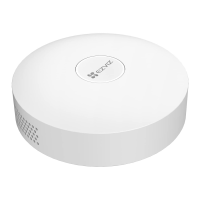
2
LED Indicator
Ring
White
• Solid: Working properly and has been connected to the EZVIZ
Cloud.
• Slow-ashing:Entereddeviceaddingmode.
• Fast-ashing:Conguringnetwork.
Orange
• Solid: Starting up or upgrading.
• Slow-ashing:Oine.
• Fast-ashing:Breakdownsoccuroralarmsproduced.
RESET Hole
While the gateway is running, poke the hole with SIM card eject
needles or clips for over 4 seconds, the gateway will restart, and
theWi-Ficonguration,localrecords,currentalarmstatusandall
sub devices will be cleared. After resetting the gateway, there will
be a voice prompt
.
Get the EZVIZ App
1. Connect your mobile phone to Wi-Fi (suggested).
2. Download and install the EZVIZ app by searching for “EZVIZ” in the App Store
or Google Play
TM
.
3. Launch the app and register an EZVIZ user account.
EZVIZ App
If you have already used the app, please make sure that it is the latest version. To
ndoutifanupdateisavailable,gototheappstoreandsearchfor"EZVIZ".
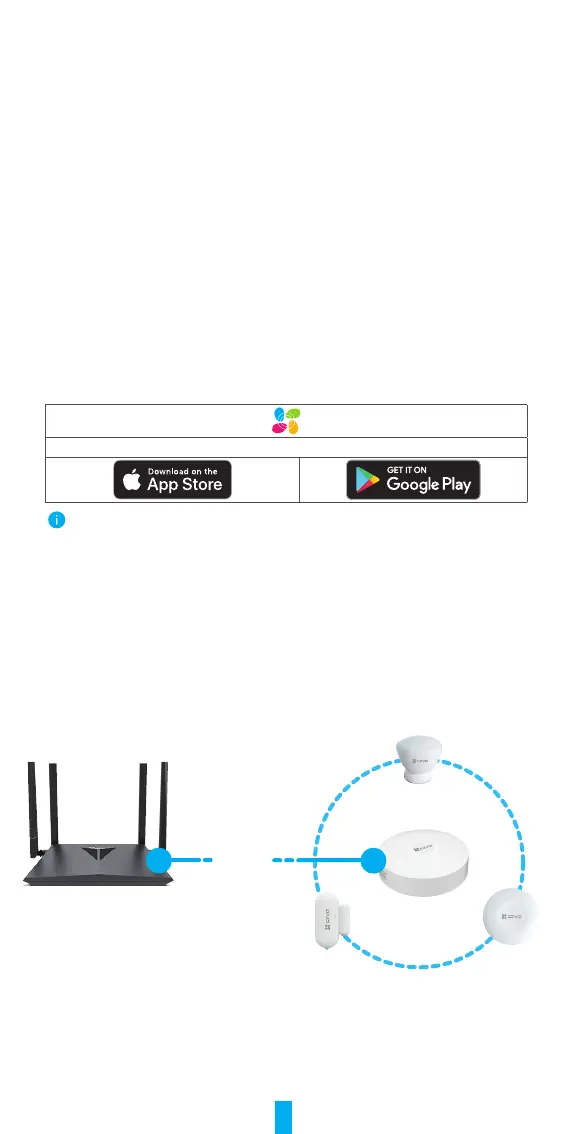
Select Appropriate Location
• The gateway needs to be plugged in.
• To ensure that the connection between the gateway and sub devices is stable,
please place the gateway at the center of the sub devices, and the distance
betweenthegatewayandtheroutershouldbe≤6meters.
• There should be no metal obstacles and walls between the gateway and sub
devices, and the gateway and the router.
• Do not place any gateway or detector on the top of the router.
Router
Gateway
≤6m


 To Next Page
 Loading...