8
View Your Device
The app interface may be different due to version update, and the interface of the app you installed on your phone shall prevail.
1� Live View
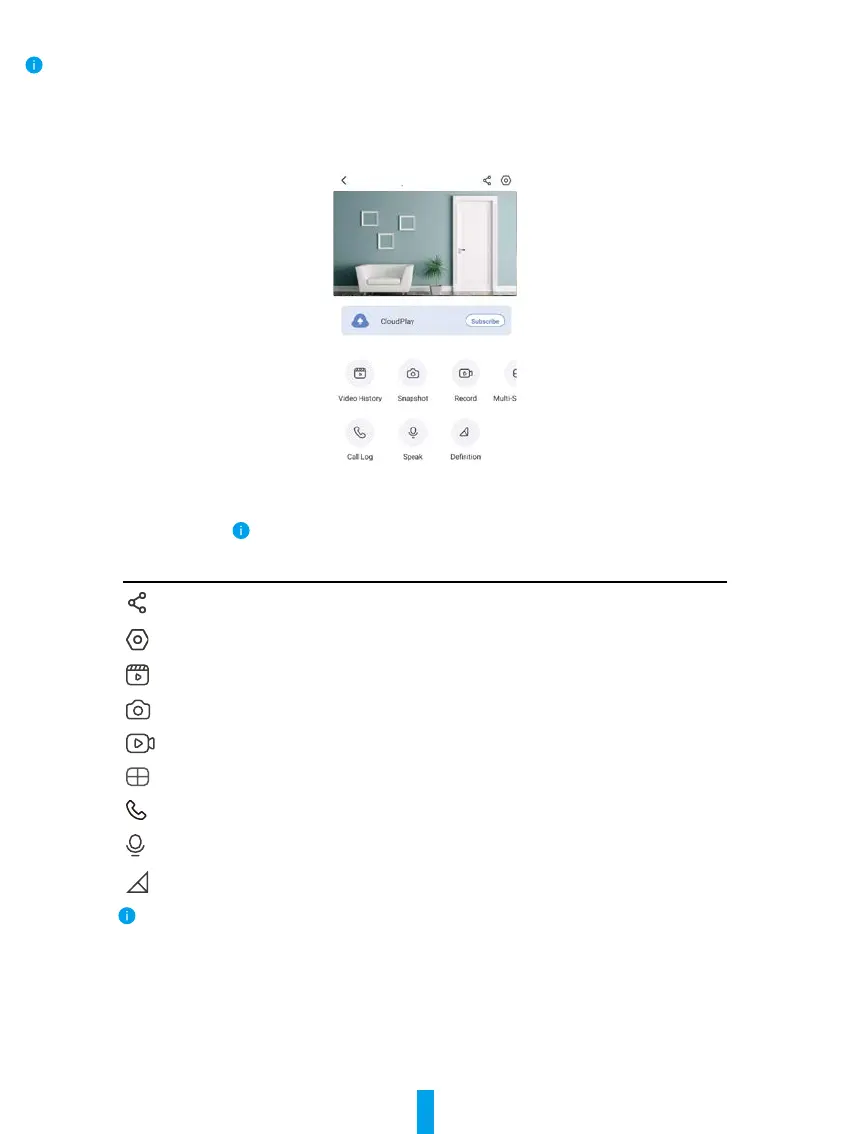
When you launch the EZVIZ app, the device page displays as shown below.
You can view and listen to a live feed, take snapshots, record videos, and choose video definition as needed.
Swipe left and right across the screen to see more icons.
Icon Description
Share. Share your device with anyone you want.
Settings. View or change the device settings.
Video History. View Recordings.
Snapshot. Take a snapshot.
Record. Manually start/stop recording.
Multi-screen Live. Tap to select live view window layout.
Call Log. View call logs.
Speak. Start using talk and listen.
Definition. Select video resolution from Ultra HD, Hi-Def or Standard.
Please refer to the actual interface for specific information.



 To Next Page