3
Lock Installation
Switch Lever Handle Direction (Optional)
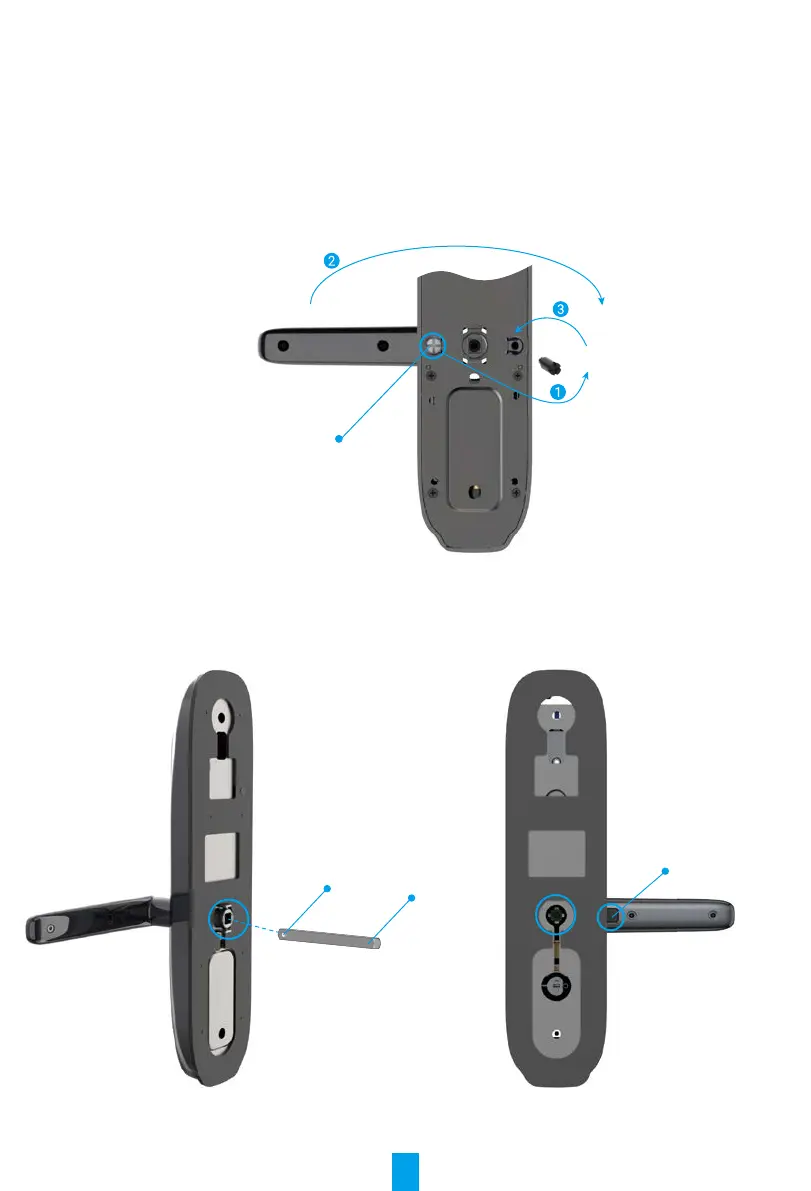
1. Switch Lever Handle Direction
- Take off the rubber and remove the reversing screw with screwdriver.
- Rotate the lever handle 180 degrees upwards.
- Screw the reversing screw into the opposite screw hole.
Reversing Screw
2. Conrm Clutch Direction
- Front panel: Insert square rod into sleeve and lift lever handle. Rotate sleeve 90 degrees if lever handle idles.
- Rear panel: Turn on the anti-peephole button. Insert square rod into sleeve and lift lever handle. Rotate
sleeve 180 degrees if lever handle idles.
Square Rod
Front Panel Rear Panel
Elastic Cylinder Pin
Anti-Peephole Butto n


 To Next Page