3
Setup Vault Plus Internet Connection
A. Wired Network Configuration (Recommended)
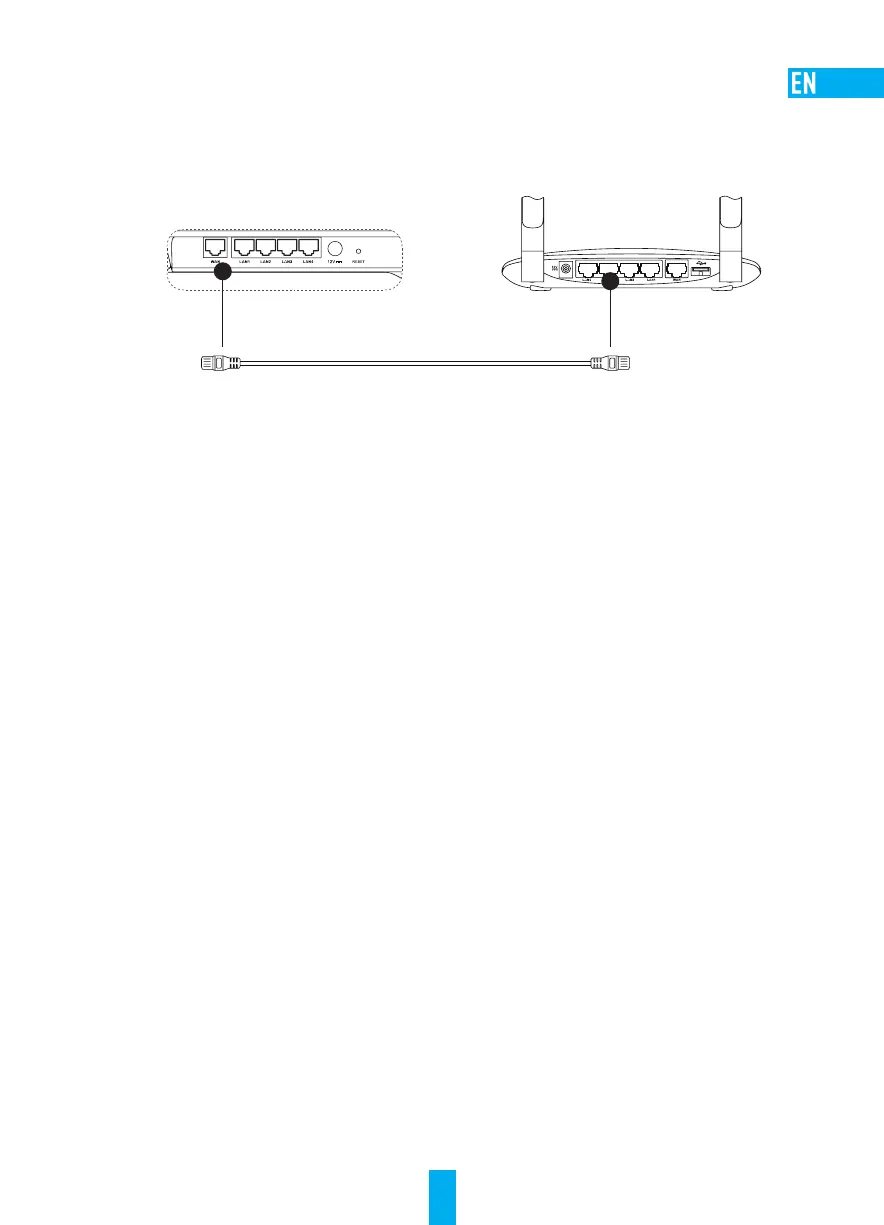
1. Connect the WAN interface of the Vault Plus to the LAN interface of your Internet router using the
Ethernet cable.
Vault Plus Router
2. Power up the Vault Plus. Connect the power cord to the Vault Plus and plugin the power supply to a
power outlet. Start-up time will take 2 minutes to complete. Both the WAN and system status indicators
will display green light.
3. Connect your PC to the Vault Plus Wi-Fi network (named as ‘ezviz_xxxxxx’, where xxxxxx is a
combination of letters and numbers) to access the Vault Plus user interface. You also can find Vault
Plus Wi-Fi network name (SSID) on device bottom label.
4. If the Vault Plus user interface did not automatically pop-up, open an Internet browser (IE8/higher or
Chrome) and enter 192.168.7.1 to access the Vault Plus user interface.
5. Click “Start” button then follow the steps to setup the Vault Plus Internet settings. Choose “Wired
Network Internet Access” as the internet connection mode.
B. Wi-Fi Relay* Network Configuration (Optional)
1. Power up the Vault Plus. Connect the power cord to the Vault Plus and plugin the power supply to a
power outlet. Wait for 2 minutes to complete the system start-up.
2. Connect your PC to the Vault Plus Wi-Fi network (named as ‘ezviz_xxxxxx’, where xxxxxx is a
combination of letters and numbers) to access the Vault Plus user interface. You also can find Vault
Plus Wi-Fi network name (SSID) on device bottom label.
3. If the Vault Plus user interface did not automatically pop-up, open an internet browser (IE8/higher or
Chrome) and enter 192.168.7.1 to access the Vault Plus user interface.
4. Click “Start” button then follow the steps to setup the Vault Plus Internet settings. Choose “Wi-Fi
Relay Internet Access” as the Internet connection mode.
5. Search for and connect your Vault Plus to the uplink router (5GHz Wi-Fi only) Wi-Fi network.
* Actual data throughput and wireless coverage will vary and may be lowered by network and environmental
conditions, including network traffic volume and building construction.



 To Next Page