2
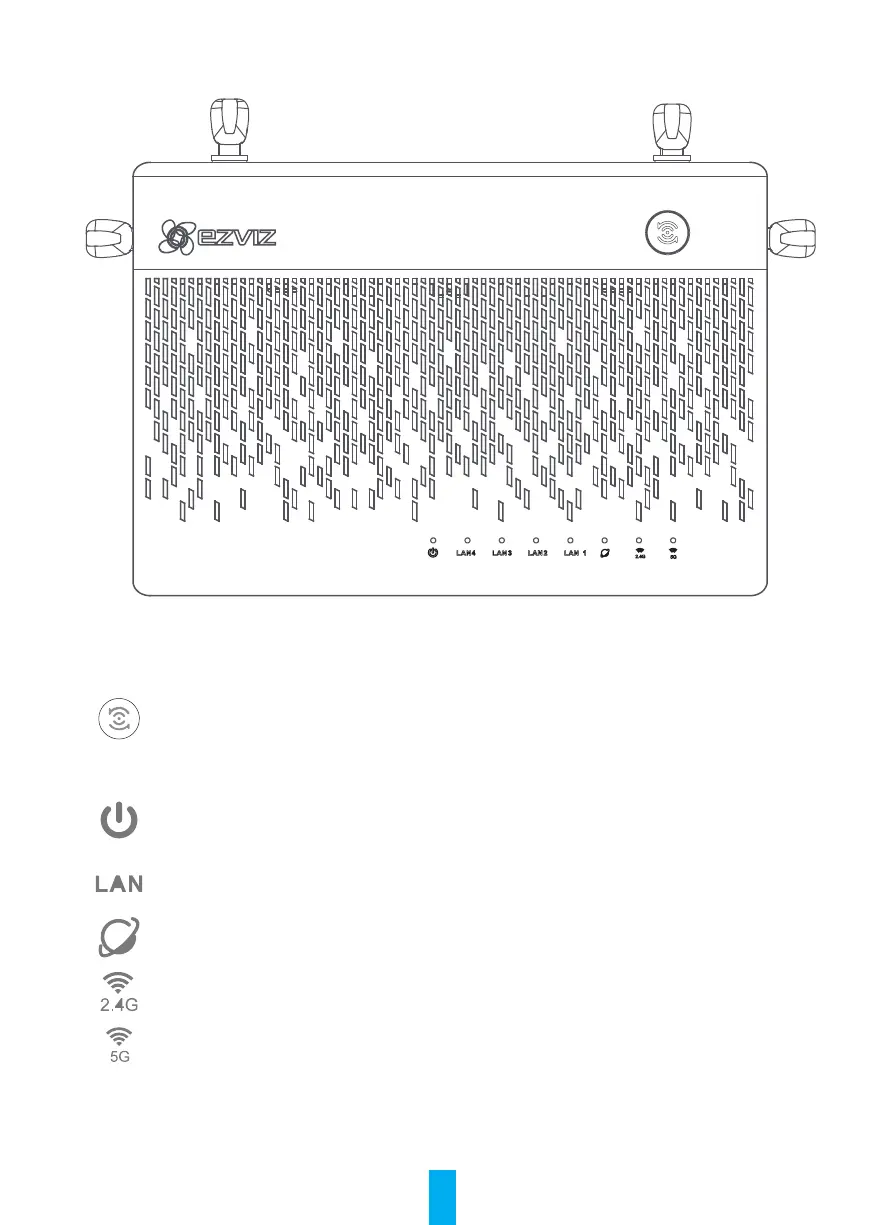
Product View
LED Indicator Status
One-Touch Access
Once the Vault Plus Internet connection is completely setup, you can use the “One-
Touch Access" button to automatically connect EZVIZ camera(s) to the Vault Plus Wi-Fi
network. The Vault Plus system status indicator flashes blue during the process. Note:
Camera status light will start flashing blue once successfully connected to the Vault
Plus Wi-Fi or wait for about 2 mins.
System Status
Indicator
Green: Device is starting up or working properly.
Blue: Network unconnected, upgrading or HDD formatting.
Red: HDD is not formatted, unidentified, or running error.
LAN Network Indicator
Steady: Device is connected to the LAN interface.
Flashing: Data is transmitting.
WAN Network Indicator
Green: Network is connected.
No Light: Network is not connected.
2.4G Wi-Fi Indicator
Green: 2.4G Wi-Fi is enabled.
No Light: 2.4G Wi-Fi is disabled.
5G Wi-Fi Indicator
Green: 5G Wi-Fi is enabled.
No Light: 5G Wi-Fi is disabled.



 To Next Page