3
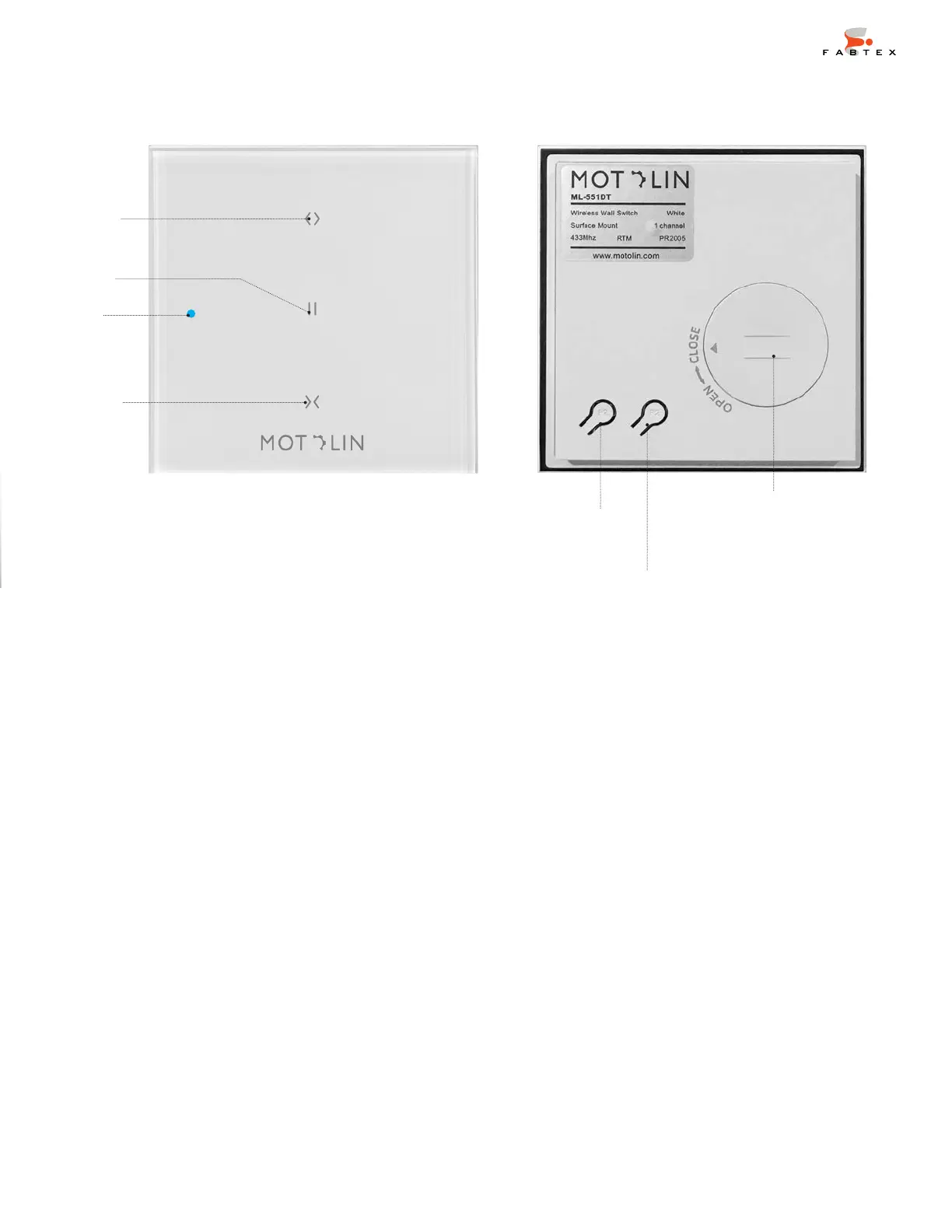
OPEN
STOP
LED
CLOSE
PROGRAM or P2
BATTERY SLOT
REMOTE FRONT REMOTE BACK
Works with right controls
(for 2 channels)
Works with left controls
(for 2 channels)
Battery: CR2430 3V
The STOP & P2 buttons are used for programming. During programming, the time between
commands must be less than 4 seconds or the motor will exit Program Mode.
Just as physical obstacles can prevent you from passing from one room to another (walls, for
example), obstacles can block, reduce, or reflect signals, too. The frequency of the remote’s
signal, 433MHz, comes into play, as does the composition of the walls— brick, drywall, glass,
and steel all have dierent properties. Ultimately, the range of the remote depends on the
environment in which the shading system is deployed.
PROGRAM or P2


 To Next Page