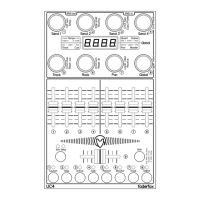
Setup mode
The setup mode allows selection of setups and routings. Further you can copy setups and group parts, reset
setups (factory reset) and send/receive setup data as sysex (backup/restore). Start setup mode by holding
shift key and press edit key twice. The activated setup mode is indicated by the red setup-LED. To leave
setup mode please press the edit button again without shift. Press any encoder shortly to see the function
behind.
To start any copy, paste, reset, send or receive function please hold down the encoder button (encoder 3 to 8)
while running bar lines shown in the display.
Setup and routing selection (encoder 1 and 2) works immediately.
Setup (Encoder 1)
SE01....SE18 select setup 1 to 18
Setup 17 and 18 are preconfigured for use with Ableton live 8/9.
Routing (Encoder 2)
Rou0 no Midi routing
Rou1 USB in to Midi out
Rou2 Midi in to Midi out
Rou4 Midi in to USB out
Rou5 Midi in to USB out + USB in to Midi out
Rou6 Midi in to Midi out + Midi in to USB out
Routing will be stored automatically by leaving setup mode.
Copy/Paste (Encoder 3)
CPYS copy current setup completely
CPYn copy group name of current encoder group
CPYE copy encoder properties of current encoder group (not push buttons)
CPYP copy encoder push button properties of current encoder group
CPYF copy fader properties of current fader/button group
CPYb copy button properties of current fader/button group
The last copies will be available in the copy memory permanently.
PStS paste to current setup
PStn paste group name to current encoder group
PStE paste encoder properties to current encoder group (not push buttons)
PSTP paste encoder push button properties to current encoder group
PSTF paste fader properties to current fader/button group
PSTb paste button properties to current fader/button group


 To Next Page
 Loading...