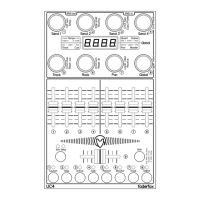
Send current setup data (Encoder 4)
Sndc Send selected setup as sysex data via both USB and Midi ports
Reset current setup (Encoder 5)
rESc Reset selected setup to factory data
Reset all setups (Encoder 6)
rESA Reset all setups to factory data
Receive setup data (Encoder 7)
rEc receives setup data for one or all setups
rc00....rc99 shows the receive progress when receiving data for all setups.
Abort is possible by pressing shift key.
SE.. shows the current setup after successfully receiving and storing of the setup data.
Err shows a receive error. Try again by pressing shift and activating receive mode.
Activating receive mode by holding down encoders 7 while running bar lines shown in the display.
Then send setup data from any sysex dumper software (e.g. Snoize librarian or MidiOX) to the device.
It’s strictly recommend to avoid sending sysex data to USB and Midi in ports simultaneously!
The right point in lower right corner of the display shows incoming midi data.
Send all setup data (Encoder 8)
SndA Send all setup data
Sn00....Sn99 shows the send progress in percent 0 to 99. Abort is possible by pressing shift key.
SE.. shows the current setup after finished sending of the setup data.
Data will be send as sysex dump to both USB and Midi ports


 To Next Page
 Loading...