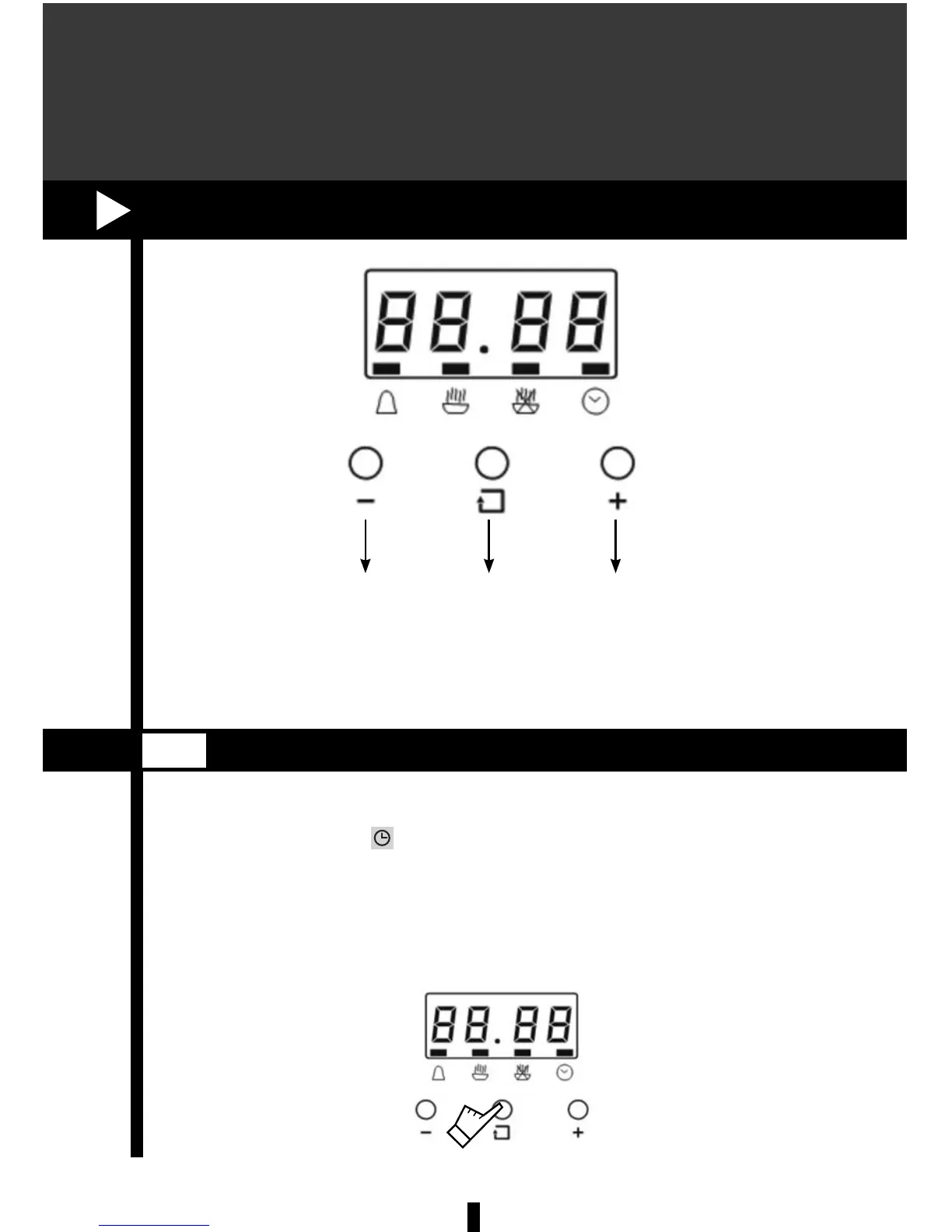
25
Decrease
Time
Function Increase
Time
To set the time:
1. Press the + or – button to increase or decrease time until the correct time
is displayed. After 5 seconds, the clock will start automatically or you can
press the function button to set the time.
When initially installing the oven or there is an interruption in the power supply,
the bar above the symbol
will ash, and the screen will display “12:00”.
CLOCK
6.1
6. STOP/START DIGITAL TIMER



 To Next Page