thoroughly.
4. Cool down the appliance sufficiently before doing anything.
Operation instruction
:
Appliance is power on
On / off button :
press the button, appliance power
on, press again, power off
Mode button :
Program setting. 5 programs pre-
designed
:
Set the cooking temperature
needed
Display of operation in progress
Standby
mode
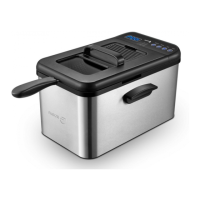
Connecting the power supply, the deep
fryer will emit a single “beep” sound for
1s. The ON/OFF button 12 issues blue
light and the display screen 11shows
“P001” and twinkle together with the
Selecting
Mode
Press the Mode button 13 to make a
mode selection. The display 11 will
show “P001-P005”. Note: Each mode
has a matching preset time and
temperature, please check the section
“Pre planned Recipe”.
Press the “Temp” button 15 in standby
mode. The display will show the preset
temperature and the corresponding
blue light will turn on. Press the “Temp”
button 15 once to increase the
o


 To Next Page