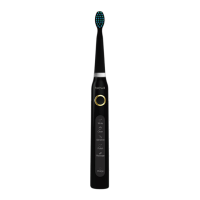
This document provides instruction manuals for two Fairywill products: the E11 Sonic Electric Toothbrush and the F5020E Smart Oral Irrigator.
Fairywill E11 Sonic Electric Toothbrush
Function Description:
The Fairywill E11 is a sonic electric toothbrush designed for deep cleaning of teeth and gums, effective plaque removal, and prevention of gingivitis. It utilizes high-frequency vibrations and offers multiple brushing modes to cater to different oral care needs.
Important Technical Specifications:
- Working Temperature: 0-50°C
- Working Voltage: DC3.7V
- Bristles Material: Nylon
- Input Voltage: DC5.0V
- Rated Power: 2W
- Waterproof Rating: IPX7
- Warranty: 1-year from the date of purchase.
Usage Features:
- Waterproof and Non-slip Design: Ensures safe use in the bathroom environment.
- Replaceable Brush Heads: Features unique 3D shape bristles and a bristle replacement reminder to maintain oral hygiene.
- USB Charging: Travel-friendly and compatible with global voltage. A full charge allows for 25 days of use (two minutes per session, twice a day).
- Low-Power Reminding Function: The indicator light flashes quickly when the battery is low, or the toothbrush may not turn on, prompting the user to charge.
- 2-Minute Smart Timer with Interval Pausing: Provides a reminder to change brushing location every 30 seconds, ensuring thorough cleaning of all mouth quadrants. The toothbrush automatically powers off after 2 minutes.
- 5 Brushing Modes:
- White: Strongest vibration intensity, large brush swing, suitable for users with high cleaning requirements and non-sensitive teeth.
- Clean: Medium vibration intensity, normal brush swing, suitable for normal oral conditions to achieve strong cleaning and maintain healthy oral hygiene.
- Sensitive: Softest vibration intensity, soft brush swing, suitable for users with sensitive teeth.
- Polish: Rapidly changing bristles' swing and vibration intensity, designed for additional treatment of the incisor area for a whitening effect.
- Massage: Slowly changing bristles' swing and vibration intensity, designed for gentle stimulation to keep gums firm and healthy.
- Mode Memory Function: The toothbrush defaults to the last mode used when turned on.
- Operation:
- Slide the brush head onto the handle until it locks.
- Press the "Power" button to turn on.
- Continuously press the "Power" button to cycle through the 5 modes.
- Apply toothpaste to wet bristles and place against teeth at a slight angle towards the gum line.
- Gently move the brush head across all tooth surfaces with minimal pressure. Avoid applying too much pressure or focusing on one area for too long.
- Turn on the toothbrush only after placing it against teeth and turn it off before removing it from the mouth to prevent splashing.
- Charging:
- Insert the USB cable into the charging port at the bottom of the toothbrush.
- The charging indicator light will flash white slowly during charging and turn on for two minutes (without flashing) when fully charged, then turn off automatically.
- If the toothbrush is not used for over 3 months, fully charge it before use.
Maintenance Features:
- Changing the Toothbrush Head:
- Install: Slide the toothbrush head down onto the handle until it is in the correct position.
- Detach: Hold the base firmly and pull the toothbrush head away from the handle.
- Precautions:
- Do not disassemble, repair, or alter the product without authorization.
- Consult a doctor if you have severe periodontal disease or oral surgery.
- Supervise toddlers, infants, and individuals unable to operate the device.
- Do not soak the product in water for an extended period.
- Avoid high temperatures or direct sunlight.
- Do not force bristles hard against teeth or gums.
- Not suitable for children under 12 years old.
Fairywill F5020E Smart Oral Irrigator
Function Description:
The Fairywill F5020E Smart Oral Irrigator is designed to provide effective oral cleaning by directing a water jet at teeth and gums, removing plaque, and cleaning between teeth and around dental work like braces, crowns, or bridgework. It aims to improve oral hygiene and gum health.
Important Technical Specifications:
- Water Tank Capacity: 300ML
- Warranty: 1-year from the date of purchase.
- Certifications: ISO 9001, ISO 13485.
Usage Features:
- Charging:
- Ensure the tank lid is tightly closed to prevent leakage.
- Remove the charger base cover and insert the device socket, ensuring no liquid is present in the plug.
- Insert the charging adaptor into a power outlet.
- The "CH" indicator blinks during charging and turns off when fully charged.
- A full charge takes approximately 4 hours.
- If the "CH" indicator blinks during or after irrigation, it indicates a low battery.
- Using the Oral Irrigator:
- Attach the nozzle onto the unit.
- Open the water tank cap and fill the tank with water (not exceeding 40°C), then close the cap. Alternatively, slide the water tank down, fill it, and reattach it.
- Press the "Mode" key to select the desired working mode. Modes can be changed during irrigation.
- Working Modes:
- Clean: For normal cleaning, lasts around 90s (+/-15s).
- Soft: For gentle cleaning of sensitive gums, lasts around 110s (+/-15s).
- Massage: For cleaning and massaging gums, lasts around 100s (+/-15s).
- Hold the unit upright with the nozzle tip pointing towards your teeth.
- Keep your mouth slightly open for water to flow out.
- Press the "On/Off" key to start irrigating.
- Irrigation Technique:
- Direct the water jet flow at a 90-degree angle to the teeth and gums.
- Slowly move the water jet along the teeth.
- Direct the water jet along the gum line with the nozzle tip at a 90-degree angle to the gum tissue.
- Thoroughly clean between teeth and around any braces, crowns, or bridgework.
- To replace nozzles, press the "On/Off" key and then the nozzle release button.
- Press the "On/Off" key again to turn off the device after irrigation.
- After Using the Appliance:
- Open the water tank cap and dispose of any remaining water.
- Press the "On/Off" key to turn on the unit and drain any water inside the device, then turn it off and close the cap.
- Wipe the device with a dry cloth.
- Note: To prevent bacteria, ensure no water remains inside the unit, especially if storing for a long time.
Maintenance Features:
- Cleaning:
- Clean the device with water or a neutral cleaning agent.
- Do not use caustic or abrasive agents (e.g., vinegar or lime scale removers) as they may damage the device.
- Do not use hot water over 50°C.
- Keep the device away from high-temperature areas and direct sunlight.
- Main Unit:
- Remove dirt with a cloth and liquid soap, then wipe with a dry cloth.
- Do not submerge the main unit in water.
- Dry the unit after washing.
- Water Tank Cap: Wipe off any grime and dirt with a cloth.
- Nozzle: Wash with water and wipe with a soft cloth. Replace the nozzle every 6 months.
- Water Suction Tube: Wash with water and wipe with a soft cloth. Do not bend, pull, or twist the tube.
- Tank: Wash with water and wipe with a soft cloth. Dry the tank when not in use for an extended period.
- Troubleshooting:
- Device not working: Charge for at least 4 hours if newly purchased or unused for over 3 months. Contact service center if the battery has reached its end-of-life cycle.
- Works for only a few minutes: Charge for at least 4 hours if charging time was insufficient.
- Low water pressure: Check for dirt stuck in the nozzle or filter, or if the nozzle is deformed. Replace the nozzle or clean the filter.
- Water not coming out: Fill the tank if empty, or use the appliance in a vertical state if it was tilted too much.
- Disposal:
- The rechargeable battery must be removed from the handle before disposal.
- Disconnect the device from the power supply when removing the battery.
- Dispose of the battery safely.
- Battery Removal Steps:
- Remove the two rubber feet from the bottom of the handle.
- Insert a screwdriver into the slot at the bottom of the handle and turn counter-clockwise to release the bottom cap.
- Slide the water tank down and unscrew the two screws next to the suction tube.
- Open the top cover and pull the inner part out, then unscrew all screws of the inner part.
- Cut off the battery line and pull out the batteries from the inner part.
- Contact local waste management office for recycling questions.
- Important Safeguards:
- Toddlers, infants, and individuals unable to operate the device should not use it unsupervised. Keep it out of reach of children.
- Never alter, disassemble, or repair the device.
- Do not place or store the product where it can fall into a tub or sink.
- Unplug immediately if it falls into water.
- Do not use the product while bathing.
- Children aged 8 and above, and individuals with reduced physical, sensory, or mental capabilities, or lack of experience and knowledge, can use the device under supervision and after understanding hazards.
- Children should not play with the device or perform cleaning/maintenance without supervision.
- The device should only be used with the provided power supply unit.
- Do not fill the tank with water warmer than 40°C.
- If the external flexible cable or cord is damaged, it must be replaced by the manufacturer, a service agent, or a similarly qualified person to avoid hazards.
- Keep the cord away from heated surfaces.
- Do not use if the nozzle is lost.
- Do not submerge the device in water.
- Do not use for any purpose other than oral cleaning.
- Keep the nozzle away from young children as it is small enough to be swallowed.
- Not recommended to use mouthwash as it can be corrosive and affect the lifespan of the irrigator.
- Consult a dentist if experiencing tooth or gum pain before use.
- Do not press the nozzle too firmly against teeth or gums to avoid injury.

 Need help?
 General

 To Next Page